Vape battery chargers look interchangeable, but real compatibility starts with the device, not the plug. Before sourcing or specifying a charger, identify the battery chemistry, review the device manufacturer’s manual, and confirm the charging interface it specifies. These checks come before any connector comparison because they determine what the charger actually needs to deliver.
USB-C, Micro-USB, and screw-on 510 threads describe how a charger physically connects, not whether it is electrically compatible with a given cell or device. Two chargers can share the same connector and still differ in output. For B2B orders, request documentation and test physical samples against the actual device before committing to production.
💡 Quick Answer
A charger cable that physically plugs into your vape device is not automatically safe or effective for it. Connector shape — USB-C, Micro-USB, or screw-on 510 — only describes the physical fit, not the voltage, current, or charging protocol the battery needs. Always use the charger, cable, and power input specified by the device manufacturer, and check the manual or product listing before substituting any charger.
✓ What matters most
- Confirm the battery, device manual, and required charging interface before evaluating a charger.
- Treat connector type as a fit indicator, not proof of electrical compatibility.
- Validate supplier documentation and physical samples on the intended device before production.
🔌 1. Identify the battery and charging interface first
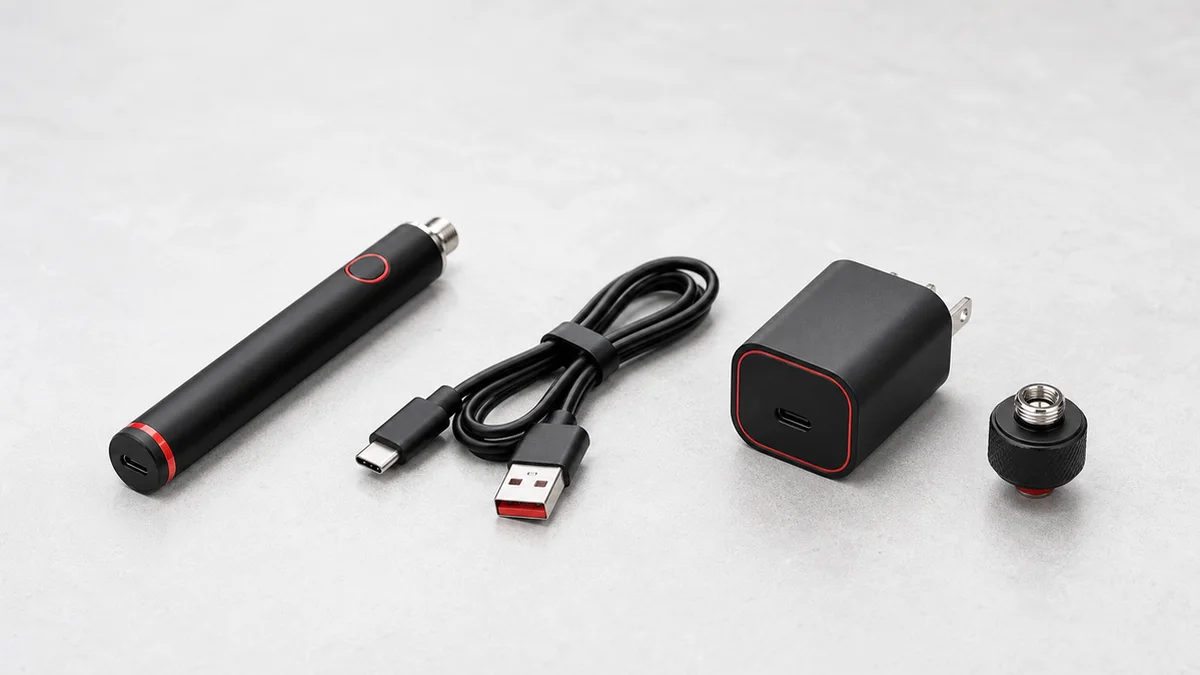
Before buying a replacement charger or sourcing chargers for resale, identify two separate things: the battery inside the device, and the physical port used to charge it. These are not the same specification.
The battery is usually described by its capacity, listed in milliamp-hours (mAh). For example, the Cylindra wax vaporizer has an 1100 mAh battery, while the VertiDip wax pen vaporizer has a 650 mAh battery. Capacity tells you roughly how much energy the battery stores — it does not tell you what charger to use.
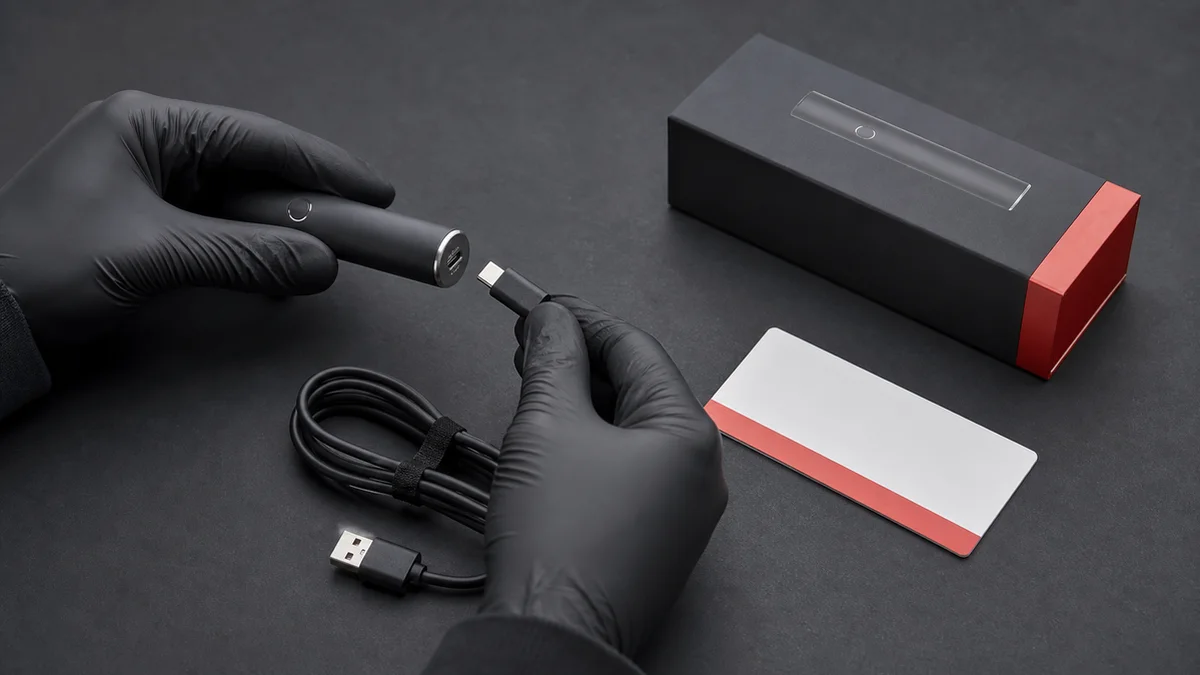
The charging interface is the physical port: USB-C, Micro-USB, or a screw-on 510 connector that mates with a separate charging base. This is where confusion happens most often, because two devices can share the same port shape while requiring different charging electronics behind that port.
Manufacturer documentation — the product manual, the packaging, or the manufacturer’s own product page — is the authoritative source for charger specifications. Aftermarket listings, generic charger multipacks, and forum advice are not substitutes for that documentation.
🔋 2. What USB-C, Micro-USB, and screw-on 510 actually describe
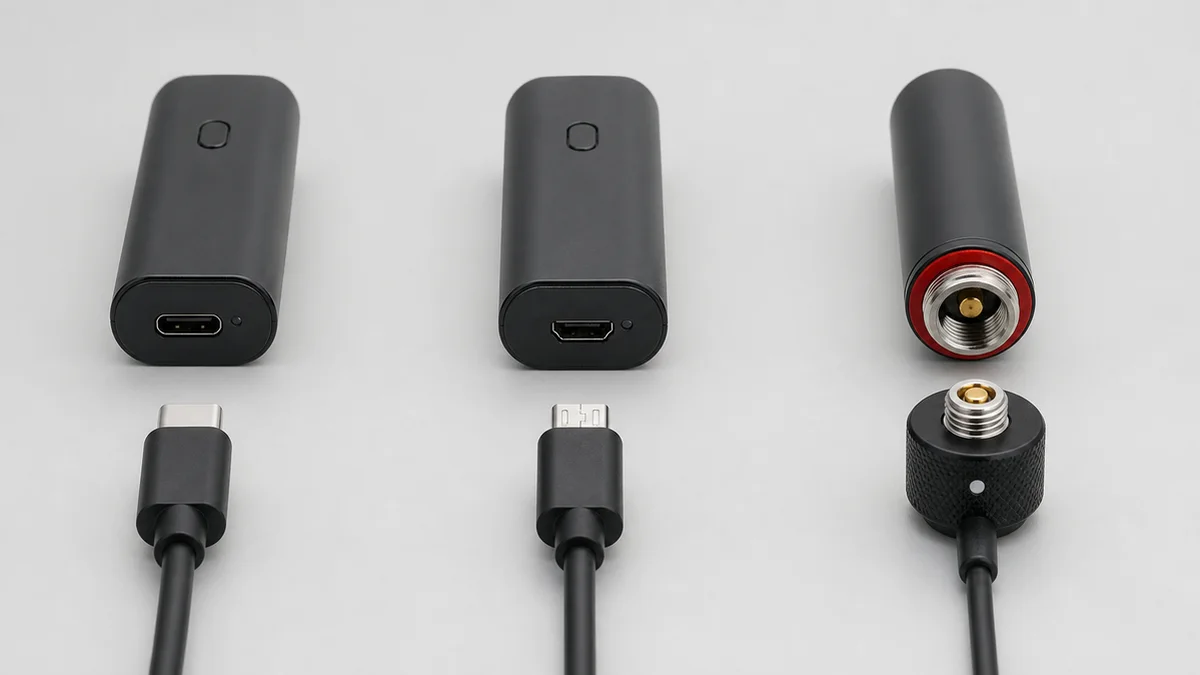
These three terms describe connector geometry, not electrical performance. Treating a matching connector shape as proof that a charger is compatible is the most common cause of charging problems and support tickets.
USB-C is a reversible, widely used connector shape found on phones, laptops, and many newer vape devices. A USB-C cable will physically fit any USB-C port. But the cable and the power source behind it still need to deliver the current and voltage that specific battery’s internal charging circuit is designed to accept. The Cylindra is specified by its manufacturer listing for Type-C charging at 1A/5V — that figure is specific to that device and should not be assumed to apply to any other USB-C product.
Micro-USB is an older, non-reversible connector still used on some entry-level or legacy devices. A Micro-USB cable that fits a device’s port says nothing about whether the device’s internal circuitry matches the current a given charger or power adapter supplies.
Screw-on 510 chargers are a different category entirely. Instead of a data-style cable, the battery threads directly onto a small charging base, typically powered via USB on the other end. The 510 thread is a mechanical connection format shared across many cartridge-style and pen-style devices — it is not a universal electrical standard, and matching threads do not guarantee matching charging current or compatible protection circuitry. Internal battery protection circuits, contact pin depth, and charging current all vary by manufacturer and model.
In all three cases, connector fit is necessary but not sufficient — it tells you the plug goes in, not that the charger is right for that battery.
✅ 3. Six-step compatibility checklist
Use this checklist before charging a device with any cable, adapter, or charging base other than the one it originally shipped with.
- Locate the manufacturer’s charging specification. Check the product manual, printed packaging, or the manufacturer’s official product page for the device.
- Confirm the connector type matches. Verify USB-C, Micro-USB, or 510 thread against the device port — not against a similar-looking device you own.
- Confirm the rated input matches, if specified. If the manufacturer publishes a voltage or current rating for that specific device (as with the Cylindra’s Type-C 1A/5V spec), use a cable and power source rated to deliver that input, not simply any USB charger.
- Inspect the cable and port before use. Look for bent pins, frayed cable jacketing, corrosion, or debris in the port.
- Use the manufacturer-supplied power adapter or a verified like-for-like replacement, rather than a random USB wall adapter, power bank, or car charger of unknown output.
- Monitor the first charge cycle. Stay nearby, charge on a hard, heat-safe surface, and do not leave an unfamiliar charger-device pairing charging unattended overnight.
| Step | What you’re checking | Where to find it |
|---|---|---|
| 1 | Manufacturer charging spec | Manual, packaging, product page |
| 2 | Connector type | Device port vs. cable plug |
| 3 | Rated voltage/current (if published) | Manufacturer listing |
| 4 | Physical condition of cable/port | Visual inspection |
| 5 | Power source | Original adapter or verified equivalent |
| 6 | First-charge behavior | Direct observation |
💡 4. Interpret charging-status lights through the manual
Many devices use an LED near the charging port to indicate status — commonly some variation of a solid or blinking light during charging and a change in color or pattern when charging is complete. It’s tempting to treat these patterns as universal, but they are not standardized across brands or even across product lines from the same brand.
The same light behavior can mean different things on different devices: a blinking red light might indicate active charging on one device and a fault condition on another. The device’s own manual is the only reliable source for interpreting its specific light patterns. If documentation isn’t available or the light behavior doesn’t match anything described in it, that uncertainty is itself a reason to stop and verify before continuing to charge.
⚠️ 5. Stop-use warning signs
Discontinue charging and stop using the device if you notice any of the following:
- Heat beyond what you’d normally expect during charging or use
- Swelling or a change in the shape of the battery or device body
- Visible damage to the device, cable, or charging port
- An unusual odor coming from the device or battery
- Exposure of the device or battery to liquid
- A charging port that feels loose or doesn’t hold the connector securely
- Charging that repeatedly starts and stops or fails to complete
If any of these occur, stop charging and stop using the device. This article does not provide repair or disassembly instructions, and a battery or device showing these signs should not be opened, modified, or serviced informally — refer the unit to a qualified professional or the manufacturer instead. The U.S. Consumer Product Safety Commission’s general guidance is to use the charger supplied with a product and to avoid pairing devices with chargers that were not designed for them — a principle that applies directly to the compatibility questions covered above.
🧪 6. Validate chargers before a production order
Retailers, private-label brands, and procurement teams sourcing chargers as part of a bulk device order face a version of this same compatibility question, but at scale — and with more at stake if a mismatch reaches customers.
Before finalizing a production order, request and confirm the following from your supplier:
- The exact charging specification for the battery in the ordered device (capacity, connector type, and any published input rating)
- Whether the charger being supplied is designed and rated for that specific battery, not a generic equivalent
- Documentation you can pass through to end customers, such as a manual or spec sheet, so downstream users have a reference for correct charger use
- Sample units for pre-production testing of the charger-device pairing, rather than relying on the supplier’s assurance alone
Because charging specifications differ by device — as seen even within a single product catalog, where the Cylindra’s Type-C 1A/5V rating is specific to that model — do not assume a charger validated for one SKU is automatically correct for another SKU in the same order, even if connectors look identical.
For sourcing questions specific to your order, including confirming charger specifications for individual models, request a quote and raise compatibility requirements directly with the team before production.
❓ 7. Frequently asked questions
Does a USB-C cable guarantee my charger will work with my vape device?
No. USB-C describes the connector shape only. The cable and power source still need to match what the device’s internal charging circuit is designed to accept, which is set by the manufacturer, not by the connector standard.
Can I use any screw-on 510 charging base with any 510-thread battery?
Not reliably. The 510 thread is a mechanical connection format, not a guarantee of matched charging current or compatible protection circuitry. Check the device manufacturer’s guidance before pairing a battery with a charging base it wasn’t sold with.
What should I do if my device’s charging light doesn’t match what I expect?
Refer to the device’s own manual, since light patterns and their meanings vary by manufacturer and model. If the behavior isn’t documented or doesn’t match what’s described, stop charging until you can confirm what it indicates.
Where can I find the correct charger specification for a specific device, like the Cylindra or VertiDip?
Check that device’s official product page or included documentation first. For example, the Cylindra’s listing specifies an 1100 mAh battery with Type-C 1A/5V charging, and the VertiDip’s listing specifies its 650 mAh battery. For bulk orders or unlisted specifications, contact the supplier directly rather than assuming based on a similar device.
📚 8. Sources
- U.S. Consumer Product Safety Commission, Statement on Lithium-Ion Battery Charger Safety
- Cylindra Wax Vaporizer — product page
- VertiDip Wax Pen Vaporizer — product page