510 thread batteries with a built-in display have become common, and for good reason. A small screen can turn a featureless metal tube into something that gives at least a little feedback about what’s happening inside. But screens vary enormously between manufacturers, and the information they show is often less precise than it looks. This guide walks through what these displays typically show, where the numbers can mislead, and a few practical issues — like atomizer detection errors and recessed cartridge clearance — that come up often in user discussions.
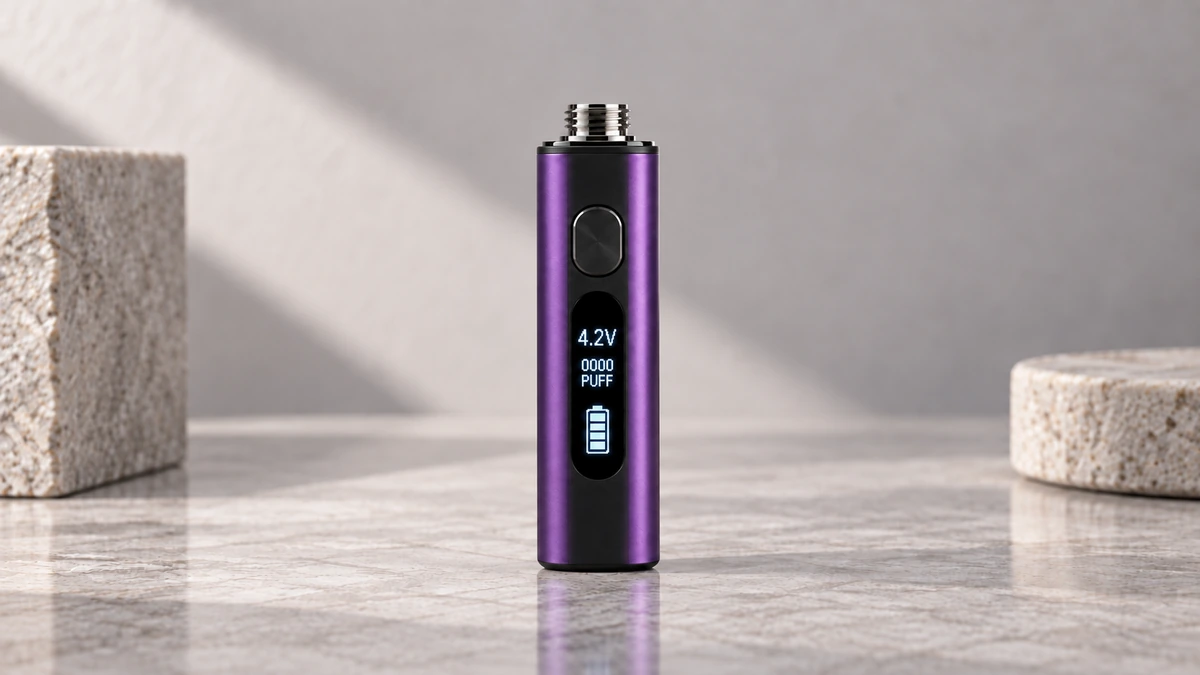
🔋 1. What a Display on a 510 Thread Battery Can Show
Not every 510 battery with a screen shows the same information. Manufacturers pick and choose features depending on the chipset they use, and some displays are limited to one or two readouts while others try to pack in several at once.
🎚️ 1.1 Output Level Readouts
The most common thing a display shows is the selected output level, often presented as a number, a bar graph, or a simple low/medium/high indicator. This number reflects a setting chosen by the device, not necessarily what the atomizer is actually receiving at any given moment. Some devices, including certain auto-draw 510 batteries, skip adjustable output entirely and instead show a fixed indicator or simple status light alongside the screen.
📊 1.2 Resistance Readings
Some batteries attempt to detect and display the resistance of the connected atomizer, usually in ohms. This reading depends on the battery’s internal sensing circuit recognizing the cartridge correctly. When that detection fails or the connection is inconsistent, the resistance reading can be wrong, missing, or replaced with an error symbol.
⏱️ 1.3 Timers and Puff Counters
Puff counters and session timers are popular additions because they give users a sense of usage patterns. A puff counter typically increments with each activation of the button or draw sensor, while a timer may track total usage time or the length of the current session.
🔻 1.4 Battery Level Estimates
Most displays include some form of battery level indicator, whether that’s a percentage, a bar graph, or a series of dots. This is one of the more frequently misunderstood readouts, and it’s worth its own discussion later in this guide.
🏷️ 2. UI Labels Are Not Standardized
Because there’s no universal design standard for 510 battery displays, the same piece of information can appear under different labels from one brand to the next.
🔤 2.1 Naming Differences Across Brands
One device might label its output setting “power,” another “level,” and another might just show a number with no label at all. Resistance might appear as “OHM,” “R,” or simply a number followed by the Greek omega symbol. Without a manual, it’s not always obvious what a given readout refers to.
🔣 2.2 Icons Without Explanation
Small icons — a lightning bolt, a clock, a battery silhouette — are common shorthand on compact screens, but icon meanings aren’t standardized either. A battery icon with no percentage might represent a rough tier (full, medium, low) rather than a precise reading. Without an included reference card, users are often left guessing.
🔍 3. The Risk of False Precision
Digital displays create an impression of accuracy simply because they show numbers. A screen reading “1.2Ω” or “87%” looks exact, but the underlying sensor technology in a compact 510 battery is generally basic compared to dedicated measurement equipment.
This matters because users can end up trusting a number more than the circuitry behind it deserves. A resistance reading that updates inconsistently, or a battery percentage that jumps unexpectedly, is a sign that the figure is an approximation rather than a precise measurement. Treating any single readout as the full picture — rather than one data point among several — tends to lead to fewer surprises.
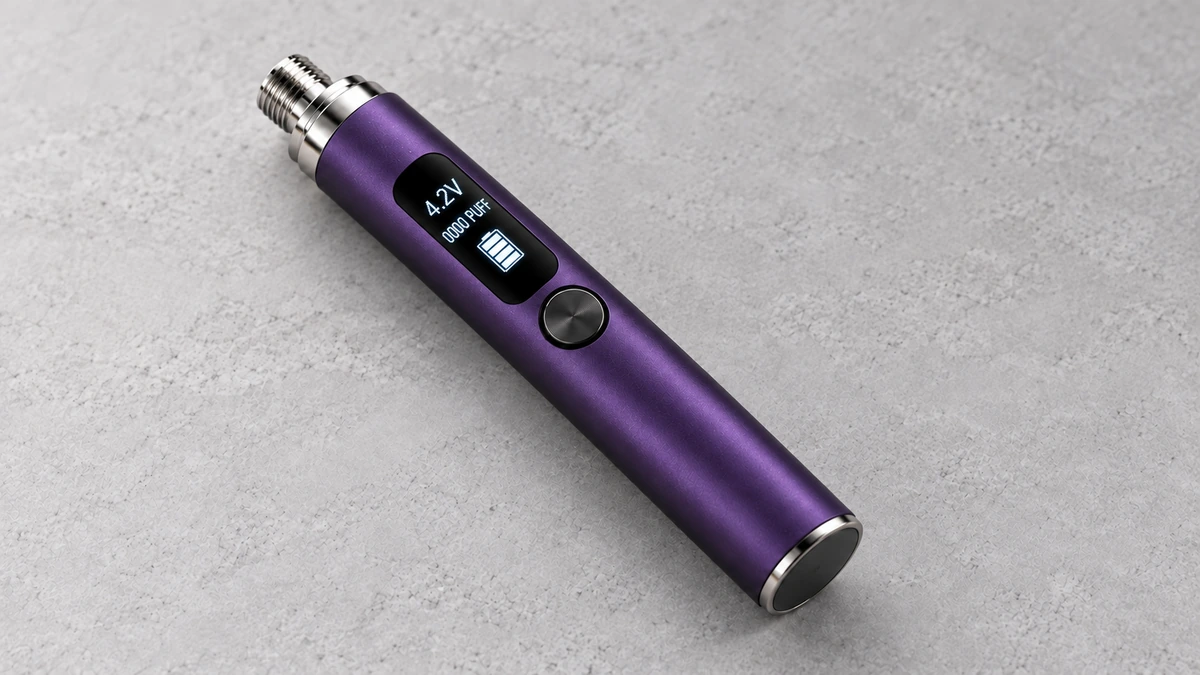
📉 4. How Battery Percentage Gets Estimated
Battery percentage is probably the most-watched number on any device with a screen, and it’s also one of the least precise.
⚡ 4.1 Voltage Curves and Why They Mislead
Most small batteries estimate remaining charge by reading voltage and mapping it to an approximate percentage using a preset curve. The problem is that voltage doesn’t decline in a straight line as a battery discharges. It tends to drop quickly at first, stay relatively flat through the middle of the discharge cycle, and then drop sharply again near the end. A percentage estimate based on a simplified curve can look stable for a long stretch and then fall rapidly, which can catch users off guard.
🔄 4.2 Why Estimates Drift Over Time
Battery behavior also changes as a cell ages or is exposed to temperature swings, so the voltage-to-percentage mapping built into a device becomes less accurate over months of use. A reading of “50%” on a brand-new battery and a well-used one of the same model may not reflect the same amount of actual remaining capacity.
⚠️ 5. Atomizer Detection and Resistance Errors
One of the more frequent complaints about display-equipped 510 batteries involves the device failing to properly detect the connected cartridge or atomizer.
🧲 5.1 Magnetic Connectors and Contact Issues
Devices that use magnetic adapters or connectors, which are covered in more detail in this magnetic vape battery guide, rely on a firm, consistent physical connection for accurate resistance sensing. If a magnetic pin is slightly misaligned, coated with residue, or making only partial contact, the battery’s sensing circuit may read an inaccurate resistance value or fail to register the atomizer at all, even though the connection still allows some current through.
🚫 5.2 When the Screen Reads “No Atomizer”
An error message like “no atomizer,” “check atomizer,” or a flashing symbol usually points to one of a few causes: a poor physical connection, contacts that need cleaning, or a cartridge with resistance outside the range the battery is designed to detect. These errors are a sensing and connection issue first, not necessarily a sign that anything is fundamentally wrong with either part — though persistent errors after cleaning the contacts are worth paying attention to.
👁️ 6. Screen Readability and Button Lock
A display is only useful if it can actually be read when needed, and small screens on pocket-sized devices come with real limitations.
☀️ 6.1 Visibility in Bright or Low Light
Many compact displays use low-contrast monochrome panels that are hard to read in direct sunlight, and some back-lit screens wash out details in certain lighting. Screen size also plays a role — tiny digits meant to fit on a slim device body can be difficult to read at a glance, especially for multi-digit resistance or puff-count values.
🔒 6.2 Button Lock Features
Many display-equipped batteries include a button lock, usually triggered by clicking the main button several times in quick succession. This feature is meant to prevent accidental activation while a device is in a pocket or bag. The catch is that the lock sequence itself is rarely printed on the device, so users who don’t have the manual handy may trigger it by accident and then struggle to figure out how to undo it.
📦 7. Recessed Cartridge Clearance
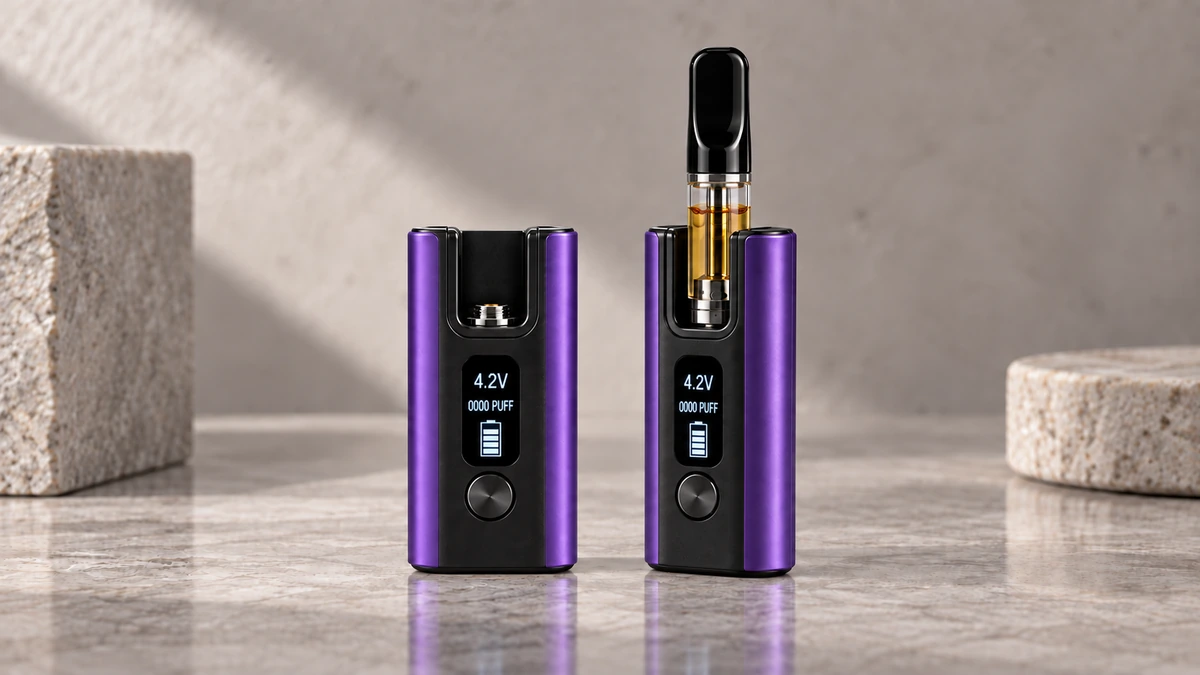
Some 510 batteries, particularly box-style devices, use a recessed chamber so the cartridge sits partially inside the body of the device rather than screwing on flush against the top. This design can protect the connection point and give the device a lower profile, but it introduces its own set of considerations that are worth understanding before assuming a given cartridge will fit properly — a topic covered in depth in this 510 box mod cartridge guide.
Recessed chambers have a fixed depth and diameter, so a cartridge that’s too wide, too long, or shaped differently than what the recess was designed for may not seat fully, which can affect both the physical connection and how well the display reads the atomizer. On devices with a screen mounted near the cartridge bay, a recessed design can also partially obscure the display depending on the viewing angle, which is worth checking before relying on a device in low light or while in motion.
📘 8. Manuals, Resets, and Reddit Questions
Searching vape-related discussion boards turns up a recurring pattern: people trying to figure out basic display functions without any documentation to reference.
❓ 8.1 Missing or Generic Instructions
A common scenario described in online discussions, including on Reddit, is receiving a battery with no included manual, or one so generic it doesn’t match the actual button layout or menu structure of the device in hand. This leaves people to reverse-engineer button sequences through trial and error, which isn’t ideal for features like settings adjustment or lockout toggles that could otherwise be explained in a single sentence.
🔁 8.2 Resetting Puff Counters
Questions about resetting a puff counter or timer come up frequently in these discussions. The reset sequence differs by device — sometimes it’s a long press of the main button, sometimes a specific multi-click pattern, and sometimes there’s no reset option at all because the chipset simply doesn’t support it. Without a manual or the manufacturer’s product page, there’s often no way to know in advance which category a given device falls into.
🧩 8.3 A Screen Does Not Confirm Compatibility
A point worth emphasizing: the presence of a display, or even a resistance readout that appears to register successfully, doesn’t by itself confirm that a cartridge and battery are a good match. A screen can show a number within an expected range while the physical fit is still loose, the contact is inconsistent, or the cartridge sits at an angle inside a recessed chamber. Cross-checking thread type, physical dimensions, and connector style remains necessary even when a screen suggests everything is working as expected.
Displays add a useful layer of feedback to 510 thread batteries, but they work best when treated as a general indicator rather than a precise instrument. Understanding which readouts a given model actually supports, how battery percentage is estimated, and why detection errors happen goes a long way toward avoiding confusion — especially since documentation for these small devices is so often incomplete or missing entirely.
🧭 9. Compare Display Batteries With a Short Hardware Checklist
A useful comparison begins with the cartridge bay. Measure the opening diameter, available cartridge height, and thread depth, then confirm whether the battery uses a direct thread or a removable magnetic adapter. Recessed bodies can protect a cartridge, but a wide cartridge or unusual mouthpiece may not clear the opening even when the base uses 510 threads.
📋 9.1 Separate Screen Features From Electrical Compatibility
List what the screen reports, then make a second list for what the device can physically and electrically accept. The first list may include battery bars, an output level, a timer, or a resistance estimate. The second should cover cartridge diameter, center-contact reach, supported resistance range, connector type, and available clearance. Keeping the lists separate prevents a polished interface from standing in for a fit check.
🔌 9.2 Include Charging and Storage in the Comparison
Port position affects whether the battery can lie flat while charging and whether the cable strains near the connector. A button lock can reduce accidental input in a case, but the cartridge still needs protection from side loads. Look for a case that supports the battery body rather than using the cartridge as a handle.
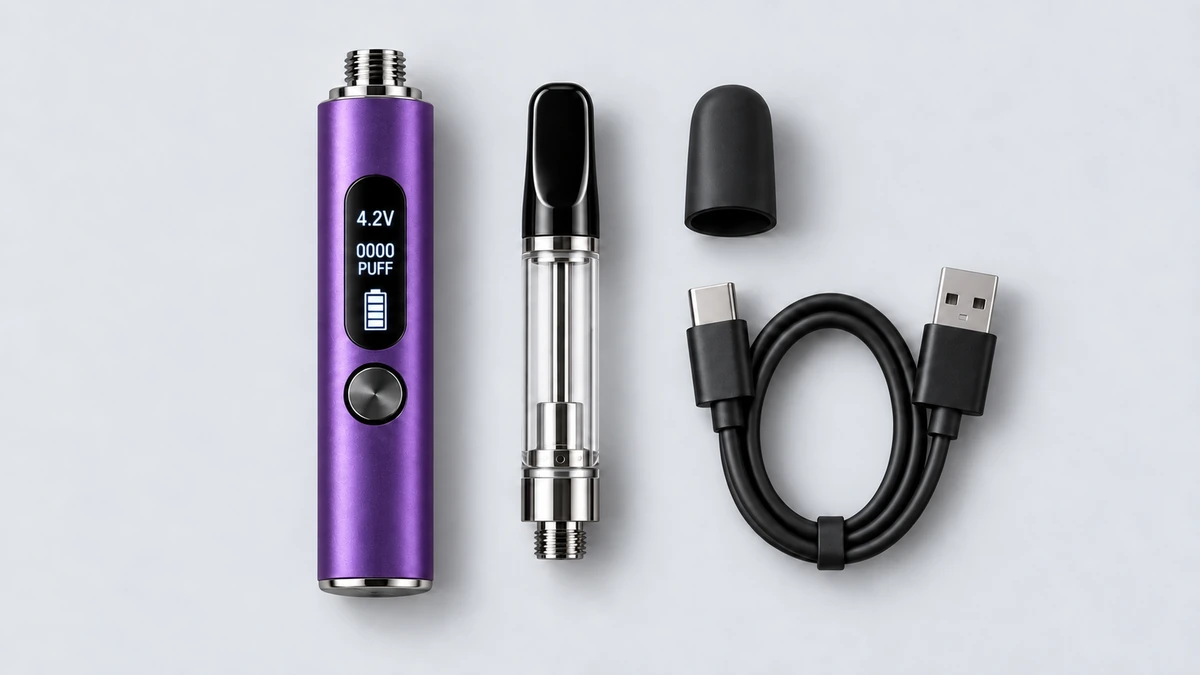
✅ 10. Use the Display as Evidence, Not a Verdict
The most helpful screen turns an invisible state into a clue. A sudden resistance change may point toward contact inconsistency; a falling battery estimate may explain why output feels different; a timer can make button behavior easier to understand. None of those readings identifies the cause by itself. Contacts, cartridge geometry, firmware logic, and battery condition still shape the number shown.
That is why the best display battery is not necessarily the one with the busiest screen. It is the one whose interface is readable, whose controls are documented, and whose body fits the intended oil cartridge without forcing the connection. Treat every value as a measurement produced by a small consumer device, with useful context and real limits.