You plug a 510 battery into a USB charger, and the light goes green almost instantly — as if a battery that was flat five minutes ago just topped off in the time it took you to find your phone charger. Or the opposite happens: the light sits on red for an hour, then randomly flips to green, then back to red when you nudge the connector. Neither behavior tells you anything reliable on its own, and that’s the part most people miss. A 510 USB charger is a simple piece of hardware, but “simple” and “self-explanatory” aren’t the same thing, and the confusion usually starts with an assumption that if the threads screw together, the rest of the system must be working correctly.
🔍 1. What a Screw-On 510 USB Charger Actually Is
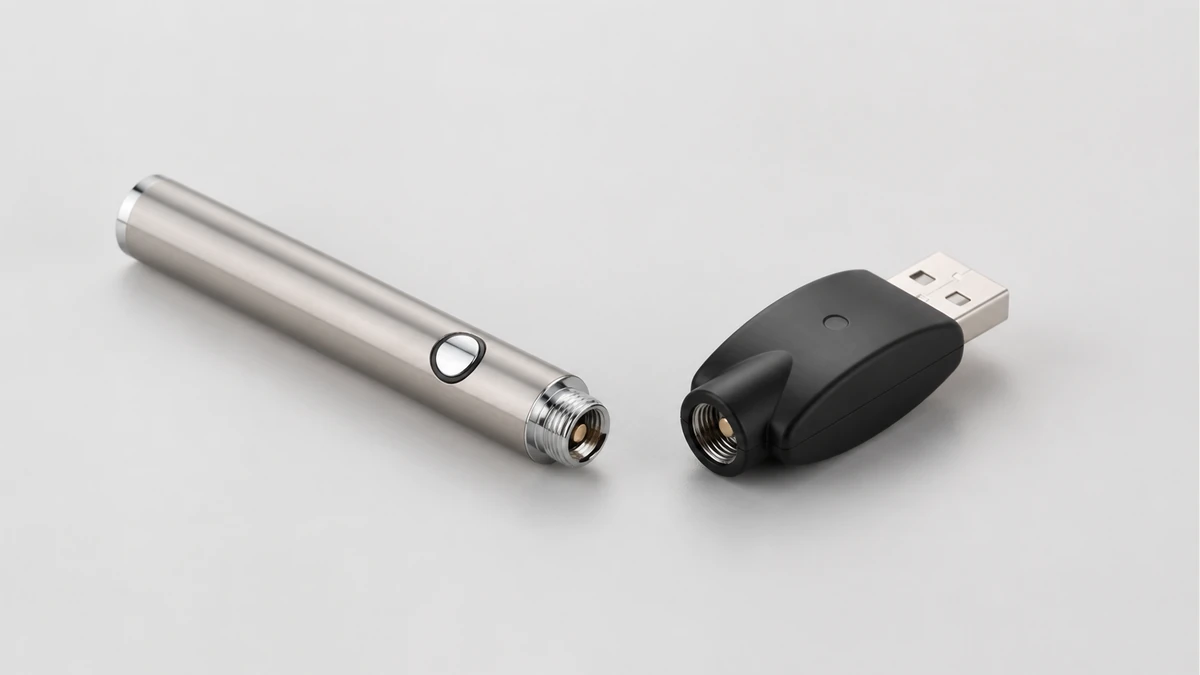
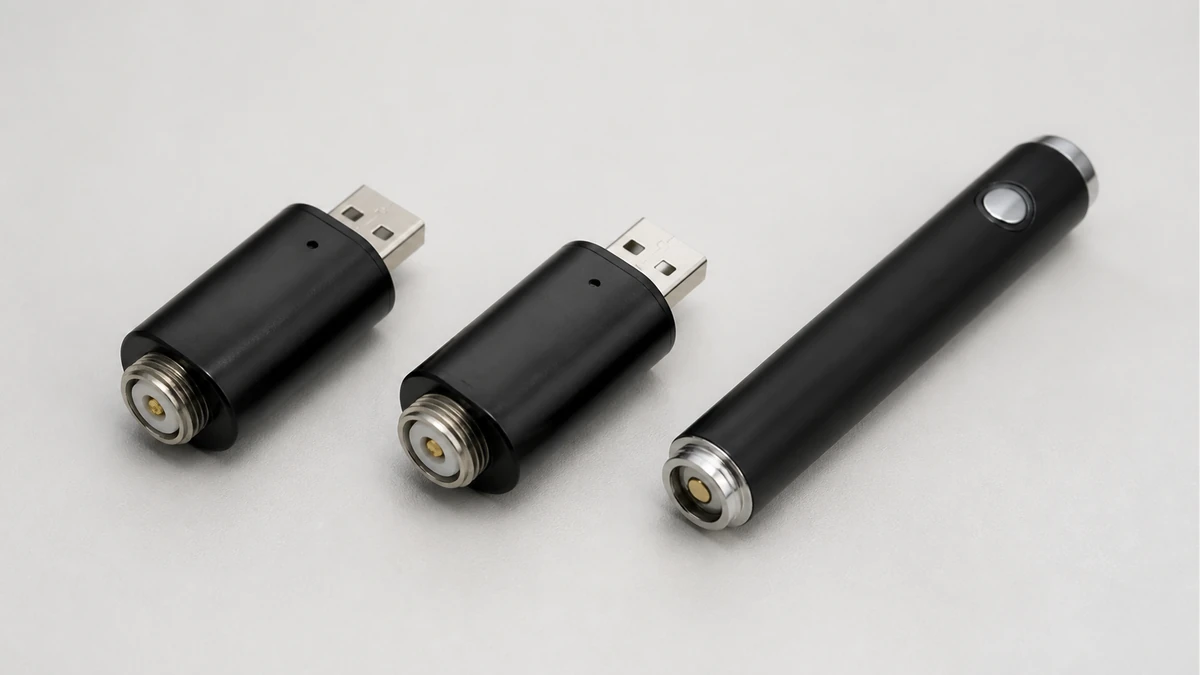
A 510 USB charger is a small charging adapter built around the 510 thread standard — the same connector pattern used on the base of most cartridge batteries, pen-style batteries, and many box-style batteries with a removable cartridge connection. The charger itself is usually a short cylindrical or rectangular body with a threaded female fitting on one end and a USB-A or USB-C plug on the other. You thread the battery into the charger the way you’d thread a bulb into a socket, plug the other end into a USB power source, and a small LED reports status.
Inside that simple shell, two things are doing the actual work: a contact plate that completes the electrical circuit when the battery’s threaded base meets it, and a charging circuit that regulates voltage and current so the battery charges at a safe rate rather than however fast the USB port wants to push power. The threading is mechanical. The charging behavior is electrical. People conflate the two because the thread is the part you can see and feel, while the circuit is invisible — but a battery that threads on smoothly has only cleared the mechanical bar, not the electrical one.
This is also where the difference between a charger and a full charging setup starts to matter. Some 510 batteries have their own internal charging circuit and only need a “dumb” pass-through charger to supply power. Others rely on the charger itself to manage the charge cycle. If you don’t know which kind of battery you own, a resource like this guide to vape battery chargers is a reasonable place to understand the distinction before assuming any charger will do.
🧭 2. Why a Charger Can Fit and Still Be the Wrong Match
The 510 thread standard specifies the thread pitch and general dimensions, but it doesn’t guarantee that every charger and every battery were designed with each other in mind. Three things can vary even when the threads mate cleanly:
- Contact plate depth and spring tension. Some chargers use a shallow, lightly sprung contact pin; others use a deeper, firmer one. A battery with a recessed or unusually shaped base can screw in fully without the contact pin ever making firm, consistent contact.
- Center pin protrusion on the battery. If the battery’s center pin sits flush or slightly recessed, and the charger’s contact isn’t sprung enough to reach it, you get an intermittent connection that looks fine mechanically but isn’t electrically stable.
- Charging circuit assumptions. A charger built for a specific battery chemistry or capacity range may apply a charge profile that isn’t appropriate for a battery outside that range, even if the connector geometry matches.
None of this is visible from the outside. You can hold two 510 batteries that look identical, thread them into the same charger, and get completely different charging behavior, because the parts of the system that actually determine compatibility — pin depth, spring tension, internal circuitry — aren’t part of what “510 thread” describes. This is the core reason thread fit is only the first check, not the only one. If you’re shopping for a battery and want to understand what actually varies between models before you buy, the 510 thread battery buying guide covers the specification differences that the thread alone won’t tell you.
⚙️ 3. What Inconsistent Indicator Lights Actually Suggest
The single most common complaint around 510 USB chargers isn’t that they fail outright — it’s that the light behaves in ways that don’t match expectations. A light turning green within seconds of plugging in a battery that should be nearly empty. A light that stays red indefinitely on a battery that seems to hold a charge fine when used. A light that flickers between red and green as you touch or slightly rotate the battery.
Without inspecting the specific hardware, it’s not possible to say with certainty what’s causing any one of these patterns. But the lights do point toward a general category of explanation, and it’s worth understanding what that category is rather than guessing at a specific fault.
🧩 3.1 What a Light Actually Reports
An indicator LED on a 510 charger is reporting the state of the circuit at that moment — not the battery’s actual charge level in any calibrated sense, and not a diagnosis of what’s wrong if something seems off. A near-instant green light after plugging in a “dead” battery usually means the charger detected a voltage at or above its cutoff threshold the moment contact was made — which can happen because the battery genuinely wasn’t as depleted as assumed, or because the connection is unstable and the charger is reading contact bounce rather than a settled voltage. A light that won’t turn green at all can mean the battery hasn’t reached full charge yet, or it can mean the connection never stabilized enough for the charger to register progress in the first place.
| Light behavior | What it generally indicates |
|---|---|
| Solid red, then solid green after a normal charge duration | Typical full charge cycle |
| Green almost immediately on a battery you expected to be low | Battery may not have been as depleted as assumed, or the charger is registering an unstable initial connection |
| Red for an unusually long stretch with no change | Charging is proceeding slowly, has stalled, or the connection isn’t fully seated |
| Flickering or switching color when the battery is touched or rotated | Contact between battery and charger is not stable |
That last row is the one worth paying attention to, because it’s the most direct signal a light can give you about a mechanical rather than electrical issue. A stable charging connection shouldn’t change status because you nudged the device. If it does, the contact point — not the battery’s internal condition — is the first thing to look at. For a broader walkthrough of what different color patterns and blink sequences typically indicate across various pen and cartridge battery designs, the charging light guide is useful context, since indicator behavior isn’t standardized across brands the way the thread connector is.
🧩 4. Contact Cleanliness and Connection Integrity
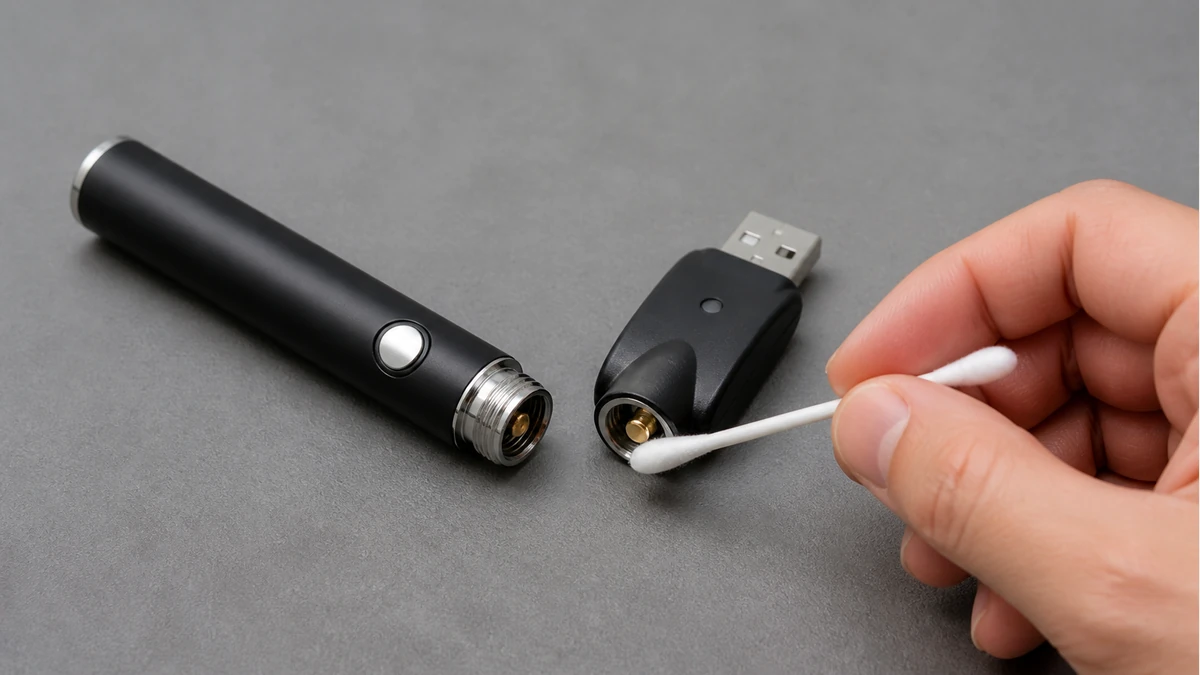
A large share of “unreliable light” situations trace back to something unglamorous: the contact surfaces aren’t clean, or they’re not seated firmly. The threaded base of a 510 battery and the contact plate inside the charger are both exposed to whatever the device has been through — pocket lint, residue from cartridges, oxidation on the metal contacts over time. None of that is visible at a glance, but a thin film on either surface is enough to turn a solid connection into an intermittent one.
A few habits reduce this risk without requiring any special tools:
- Inspect the threaded base of the battery and the inside of the charger’s collar in good light before charging, looking for visible residue or discoloration.
- Wipe both contact points gently with a dry cotton swab; avoid introducing moisture or solvents into the charger port.
- Thread the battery in fully and evenly rather than stopping at the first point where it feels seated — a battery that’s snug but not fully threaded can still make partial contact.
- Once connected, leave the setup undisturbed. Repeatedly checking the light by touching or rotating the battery is itself a common cause of the flickering behavior described above.
If cleaning the contacts and reseating the battery doesn’t produce a stable, consistent light, that’s meaningfully different information than a light that simply takes longer than expected to change. One points at a connection problem you can address; the other might just be a normal, slower charge cycle.
🛠️ 5. When the Charger-Battery Combination Should Be Retired
There’s a real difference between a charging setup that’s behaving oddly and one that’s showing signs it shouldn’t be used further. The distinction matters because continuing to force a mismatched or degraded connection is the actual risk — not the odd light pattern by itself.
Stop using the combination if any of the following are present, regardless of what the light shows:
- The battery, charger, or the connection point between them feels warm to the touch beyond what’s typical for the charging duration.
- The threaded connector on either part is visibly bent, cross-threaded, or no longer seats evenly.
- The contact pin inside the charger is visibly discolored, corroded, or physically loose rather than lightly sprung.
- The battery housing shows swelling, denting, or any deformation.
- The light behavior is inconsistent even after the contacts have been cleaned and the battery has been reseated correctly.
Any of these is a reason to set the hardware aside rather than continue troubleshooting through repeated charge attempts. A 510 USB charger and a 510 battery are inexpensive relative to the judgment call involved, and neither odd lights nor a snug thread fit are a substitute for physical inspection when something feels off.
📐 6. Frequently Asked Questions
Does a tight thread fit mean the charger and battery are fully compatible?
No. Thread fit only confirms the mechanical connector matches. Contact pin depth, spring tension, and the charger’s internal circuit design all affect whether the electrical connection and charge behavior are appropriate for that specific battery.
Why did the light turn green almost immediately?
It generally means the charger detected a voltage at or near its cutoff point as soon as contact was made. That can reflect a battery that wasn’t as low as assumed, or an unstable initial connection rather than a completed charge.
Is a flickering light always a sign of a bad battery?
Not necessarily. Flickering that changes when the battery is touched or rotated more often points to an unstable physical connection between the contacts rather than a fault inside the battery itself.
Can I use any 510 USB charger with any 510 battery?
The thread will likely fit, but that doesn’t guarantee a good electrical match. Checking the battery’s own documentation and known charging behavior before assuming interchangeability is the safer approach.
🧼 7. The Short Version
Thread fit gets a 510 USB charger and a 510 battery physically connected. Everything that actually determines whether that connection charges the battery correctly — contact depth, spring tension, cleanliness, and the charger’s own circuit design — sits outside what the thread standard controls. Read the light as a status signal, not a diagnosis, clean the contacts before assuming the worst, and treat visible damage or persistent instability as the actual cue to stop, not the color on the LED.