A “510 thread battery with charger” is one of the most common combos sold for small vape devices, and it’s also one of the most misunderstood. Buyers assume the battery and the charger are interchangeable parts that will work with anything else in a drawer, then get confused when a cable that worked on one device does nothing on another. Understanding how these kits are built, and why the charging half matters as much as the battery half, makes the whole category much less mysterious.
This guide walks through what’s actually in the box, the difference between USB-cable charging and threaded-charger charging, how to read the input label printed on the hardware, what the indicator light is doing, and the contact and storage habits that determine whether a battery keeps working smoothly for months or starts acting flaky after a few weeks.
🧭 1. What a "510 Battery With Charger" Kit Actually Includes
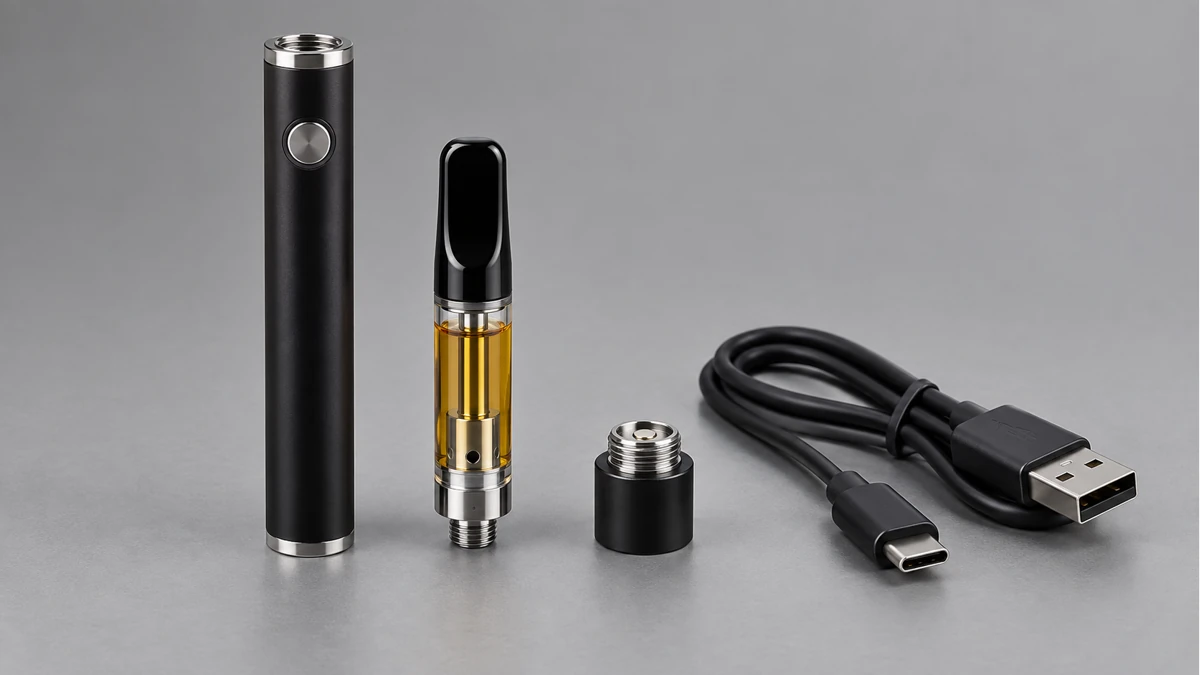
The “510” in the name refers to the thread pattern on top of the battery — a standardized screw-in connection also used on many other small electronics accessories. It’s a physical fit standard, not a brand. Any attachment with a matching 510 thread will screw onto any 510 battery, which is exactly why these batteries are sold as a category rather than as accessories tied to one specific product.
A kit sold as “battery with charger” typically includes two physical objects:
- The battery itself, usually a small cylindrical or box-shaped unit with the threaded connector on top and a charging port or charging contacts somewhere on the body.
- A charging accessory, which is either a USB cable that plugs directly into a port on the battery, or a small threaded charging base that the battery screws into.
Some kits also throw in a wall adapter, but plenty of modern kits assume you already own a USB power source (a computer, a wall plug from another device, a power bank) and only include the cable or the base. That’s worth checking before assuming a kit is “missing a piece” — often it isn’t, it’s just designed around hardware you’re expected to already have.
⚙️ 2. Two Ways to Charge: USB Cable or Threaded Charger
There are two fundamentally different charging designs in this category, and they behave differently enough that it’s worth understanding both before buying or troubleshooting.
🔎 2.1 USB Cable Charging: Plugging Into the Battery Itself
Some 510 batteries have a small port built directly into the housing — usually on the side or bottom — where a USB cable connects the same way it would to a phone or a small speaker. The charging circuit lives inside the battery itself, so the cable’s only job is to carry power from a USB source into that internal circuit.
This design tends to be simpler to travel with, since a generic USB cable can often substitute for a lost one, as long as the connector shape matches. It also means the battery can charge from almost any USB power source: a laptop, a wall adapter, a car charger, a power bank. The tradeoff is that the port itself is a small mechanical opening, which means it’s the one part of the device most exposed to lint, dust, and moisture over time.
📏 2.2 Threaded Charger: Screwing the Battery Onto a Base
The other common design skips a port entirely. Instead, the battery screws onto a small charging base using the same 510 threads that would normally hold an attachment. The base itself plugs into USB power, and the charging circuit lives in the base rather than in the battery.
This approach has one clear advantage: there’s no open port on the battery to collect debris, because the only opening is the threaded connector, which is already exposed to the air during normal use anyway. The tradeoff is that the charger is a separate physical object that’s easy to misplace, and unlike a generic USB cable, a lost threaded charger usually can’t be swapped for a random substitute — the base has to be designed for that specific thread and contact layout.

Neither design is inherently better; they’re just different tradeoffs between “one more thing that can get lost” and “one more opening that can collect lint.” Knowing which one a given kit uses before you buy tells you what kind of backup plan makes sense if a charging accessory ever goes missing.
🧩 3. Reading the Input Label Before You Plug In
Every USB charger, cable, and charging base has an input rating printed somewhere on it, usually in small text near the connector. It’s normally written as a voltage number followed by a lowercase “v,” then a current number followed by an “A” — for example, a phone charger commonly reads something like 5V and 1A or 2A. That label describes how much electrical pressure and flow the accessory is designed to handle.
This matters for two practical reasons:
- Mismatched voltage between a power source and a charging accessory can prevent charging from starting at all, rather than damaging anything — many small charging circuits simply refuse to draw power outside their expected range.
- Current ratings affect charging speed more than charging safety in most modern designs, since the battery’s internal circuit is what actually limits how fast it accepts power, regardless of how much the source can supply.
The practical takeaway is simple: when in doubt, use the cable or adapter that came with the kit, or one explicitly rated for a similar low-power USB device. Swapping in random adapters — especially ones meant for laptops or fast-charging phones — isn’t usually dangerous with a well-designed battery, but it can lead to a charger that just sits there doing nothing, which looks like a dead battery when it’s really a mismatch.
🔬 4. What the Indicator Light Is Actually Telling You
Almost every 510 battery with a charger has some kind of small LED that changes color or behavior while charging. The exact colors vary by product, but the underlying logic is usually the same across brands, because it mirrors how most small lithium battery circuits report status.
- A steady light while connected to power generally means the battery is actively charging.
- A light that changes color, or turns off, usually signals that charging has finished and the circuit has stopped drawing power.
- A blinking or flashing light while connected is typically the circuit’s way of reporting a problem — often a connection issue rather than a battery failure.
That last point trips a lot of people up. A blinking light during what should be a normal charge is frequently caused by a loose contact, not a broken battery, which is exactly why the next section on contact care matters as much as it does.
🧼 5. Contact Care: Why a Battery Stops Charging Even When Everything Looks Fine
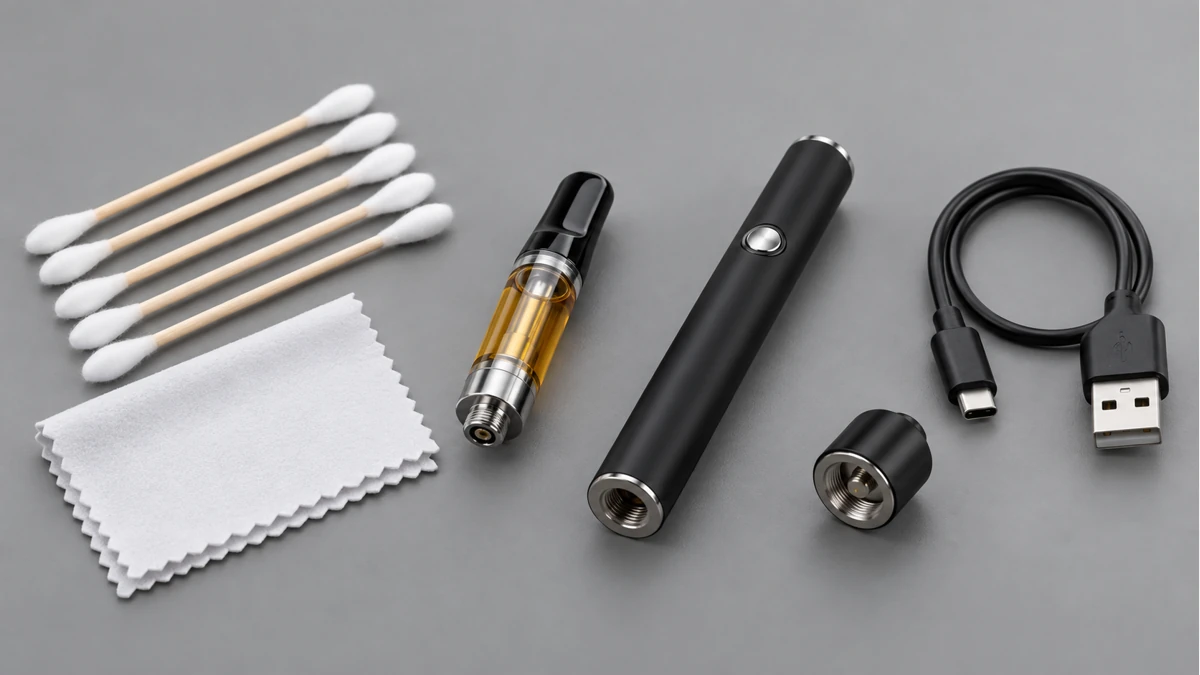
The 510 connection point does two jobs: it holds an attachment in place mechanically, and it carries an electrical signal through a small spring-loaded pin at the center. That pin is the single point of contact the whole system depends on, whether you’re using the battery normally or charging it through a threaded base.
Over time, that contact point accumulates residue from whatever was previously screwed onto it. Even a thin film of buildup is enough to interrupt a weak electrical connection, because the pin only needs a tiny gap to stop making reliable contact. This is the most common reason a battery that charged fine last month suddenly seems unresponsive, flickers, or shows a blinking error light — not because the battery itself failed, but because the connection point got dirty enough to break the circuit intermittently.
A dry cotton swab, used gently on the pin and the surrounding threads, resolves the majority of these cases. The key word is dry: introducing any liquid into a small electrical contact point risks pushing moisture deeper into the connector rather than removing debris from it. If a swab alone doesn’t restore a clean connection, letting the contact air-dry fully before trying again is safer than reaching for a cleaning liquid.
USB ports on cable-charging batteries benefit from the same basic logic — keeping the opening free of lint and dust prevents the same kind of intermittent-contact problems that show up on threaded connections.
📐 6. Storage Habits That Affect Long-Term Performance
How a battery is stored between uses has a bigger effect on its long-term behavior than most people expect, mostly because of two things: temperature and charge level.
- Extreme heat — a hot car, a windowsill in direct sun — accelerates the chemical aging process inside any small lithium battery, which is why manufacturers consistently warn against leaving them in parked vehicles.
- Storing a battery fully drained for long stretches can leave it unable to accept a charge later, because the internal protection circuit may shut down below a certain voltage threshold and require a slow “wake-up” charge to recover.
- Loose metal objects — keys, coins — in the same pocket or bag as a battery with exposed threads can create an unintended electrical bridge across the contacts, which is a basic but easily overlooked storage hazard.
None of this requires elaborate care. Keeping a battery at a moderate temperature, avoiding letting it sit completely empty for weeks at a time, and storing it separately from loose metal covers the vast majority of what actually affects longevity.
this related AOVAPE hardware guide
🔍 7. Real Questions People Ask About These Kits
A recurring theme in online discussions about 510 battery kits is confusion about compatibility — specifically, whether a charger from one kit will work on a battery from a different one. The honest answer is: sometimes, and it depends entirely on which of the two charging designs described above is in use. A USB-cable battery is far more forgiving about swapped cables than a threaded-charger battery is about swapped bases, since the base has to physically and electrically match the battery’s thread and pin layout.
Another common thread of questions centers on the blinking-light scenario covered above — people describing a battery that “was fine yesterday” and now won’t charge, often followed by someone in the replies suggesting a contact cleaning before anything more drastic. That pattern lines up with how these circuits are actually designed: a blinking error light is a connection-status signal, not necessarily a verdict on the battery’s health.
this related AOVAPE hardware guide
A third pattern worth mentioning is people asking whether it’s fine to leave a battery on its charger — cable or base — after the light indicates it’s finished. Most modern charging circuits are built to stop drawing power once a battery reaches full charge, which is exactly what that light change is reporting. Unplugging promptly is still a reasonable habit, but the light itself exists specifically so users don’t have to guess.
this related AOVAPE hardware guide
🛠️ 8. Putting It Together
A 510 battery with charger is a small, self-contained system: a battery with a threaded connector on one end, and either a cable port or a threaded base as the charging method. Reading the input label tells you what power source the accessory expects. The indicator light tells you what the internal circuit is doing at any given moment. And the physical contact point — whether it’s a USB port or the spring-loaded pin at the center of the 510 thread — is the single part most responsible for the “it just stopped working” problems that show up over time.
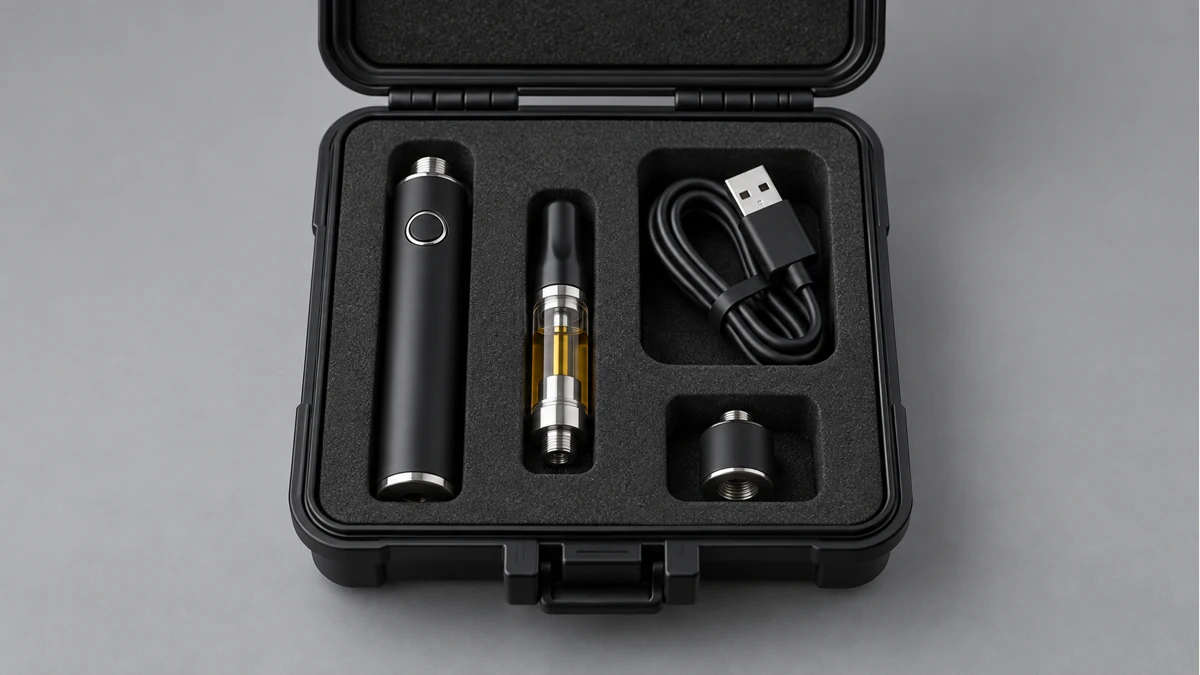
None of this requires specialized knowledge to manage well. Matching the charging accessory to the battery’s actual design, paying attention to what the light is signaling, keeping contact points clean and dry, and storing the battery at reasonable temperatures and charge levels covers essentially everything that determines whether a kit like this keeps working reliably for the long haul.