Metal pipe screens are not interchangeable just because the discs look alike. For an approved removable screen in a dry herb vaporizer, the diameter, shape, mesh and intended position all matter. A disc that fits the mouthpiece may still be the wrong part for the chamber. If it will not sit as the manual shows, stop rather than forcing it into place.

The familiar problem often starts at cleanup: two little screens end up in one dish, and later neither looks quite like the one you remember removing. Or the visible face looks clear, yet the draw remains restricted. Those are different questions. One concerns the right part in the right place; the other concerns what is obstructed. Sorting them separately is more useful than replacing every small disc at once.
This guide concerns loose mesh accessories where the device maker permits their removal and replacement. It does not cover an electrical display, a heating coil, a sealed filter assembly or a screen that must be pulled out of the heater. Rigid glass screens for bowls are another category, with different support shapes and replacement needs.
📏 1. Diameter and Mesh Describe Different Things
Diameter describes the outside of a round disc. Mesh describes the pattern of openings within it. Two screens can have the same outside dimensions while looking visibly different when held separately against a plain light background. Conversely, two pieces cut from similar-looking mesh may have different diameters and fit different seats.
STORZ & BICKEL’s official small normal-screen listing, for example, describes regular mesh and an approximate 15mm diameter separately. It does not give a universal screen size for other manufacturers’ devices. The useful point is that the outside dimension and the mesh description are separate part attributes.
🧩 1.1 Shape Adds Another Fit Requirement
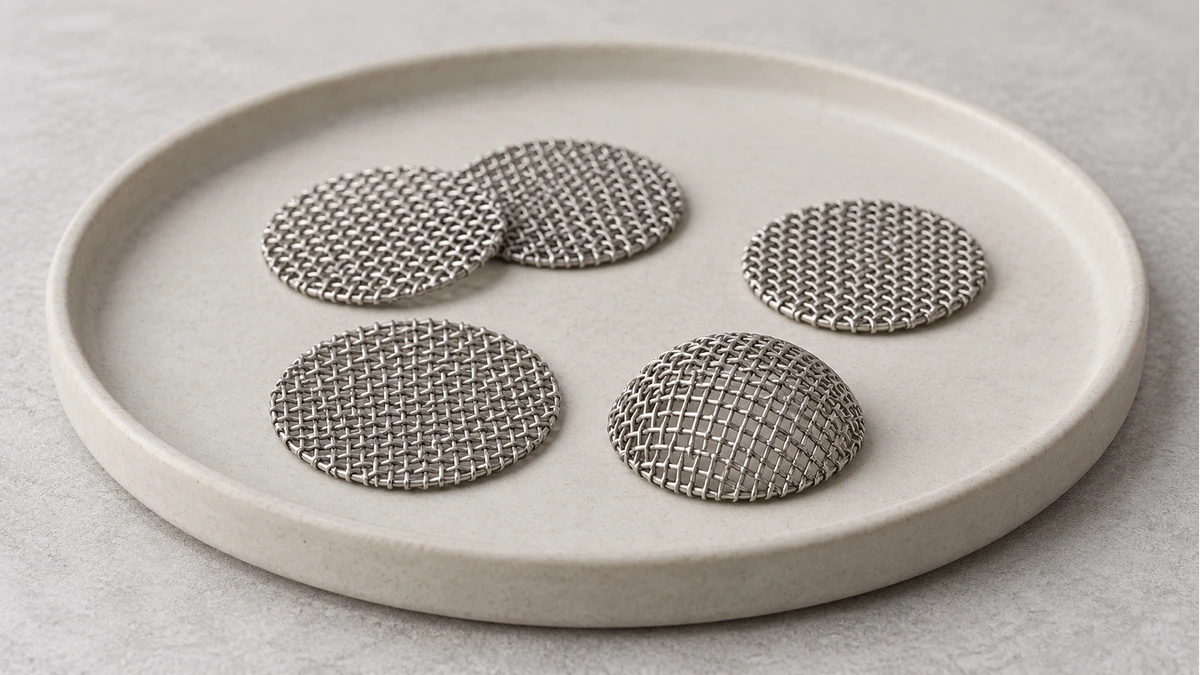
Some approved screens are flat; others arrive shaped as a small dome or cup. A shaped screen may be intended to rest against a particular ledge or sit within another removable part. Do not flatten it because a different disc in your collection is flat, or bend a flat spare to imitate a shape seen online. Identify the specified replacement form first.
Also look at how the edge is supported in the manufacturer’s drawing. The screen may sit under a removable retaining part rather than simply resting at the bottom of an open chamber. If reassembly requires a retainer, putting a loose disc in the apparent opening does not reproduce that arrangement. Keep the complete assembly in mind, including the pieces that hold the screen.
📝 2. Record the Position Before Removal
A phone photo can be useful without becoming a disassembly tutorial. Show the location before the approved removal and keep the original file with the device’s parts notes. A close-up of a loose disc alone may leave you wondering whether it came from the top or bottom assembly; a wider context photo answers that organizational question.
For a device with more than one removable screen, finish one documented group before starting the next. That keeps a tiny retainer, seal or screen from migrating to the other tray. If care involves several similar parts, the tray labels can follow the names in the manual rather than improvised names such as “large one” and “small one.” A packet marked only “silver screens” will become ambiguous as soon as another device joins the collection.
If the maintenance drawing shows a shaped screen and your removed part appears flat, record that difference and stop to clarify it. It may be the wrong reference, a changed part or a misidentified location. Do not reshape the piece to make the photograph and drawing agree.
Read the maintenance section for the exact device before taking out a screen. Find whether it is user-removable, which surrounding parts must come off and how the manufacturer distinguishes its positions. A chamber screen, cooling-unit screen and mouthpiece screen may be discussed separately even when they look similar in a photo.
Take an ordinary reference photo of the intact arrangement if it is visible and the equipment is fully cool. Put the first removed piece in its own shallow tray, with the location written beside the tray. If you work on another approved removable assembly, give it another space. This takes less effort than identifying a handful of wet or freshly cleaned discs afterward.
Do not remove a screen simply because you can see an edge. If the manual does not describe removal, ask the maker whether that surface is part of a larger assembly. A hard pick reaching into a chamber can touch something other than the screen. An inaccessible mesh surface is not an invitation to take apart a heater.
Keep a note of the model revision as well as the familiar product name. An old parts packet or saved order can be useful here. If the manual and replacement listing disagree, resolve that with support before reassembly; the old screen’s appearance alone cannot settle which specification belongs to a revised part.
🗃️ 3. Sort Mixed Screens Without Trial-Fitting Them
A collection of orphan discs is a parts-identification problem. Set them out separately and compare them with the original packets, part numbers and device information you have. Grouping by appearance can make the pile easier to examine, but it does not confirm compatibility. Two similar silver discs may have come from entirely different positions.
A discussion about nonstandard screen sizes captures that frustration: an owner had accumulated multiple diameters and no longer knew where some belonged. The replies included improvised cutting suggestions. The practical lesson is to retain the source information, not to turn a nearly matching disc into an undocumented replacement.
If you cannot identify a disc, store it separately from the confirmed spares. Do not make the device into a sizing gauge by pressing each candidate into its chamber. Nor should a disc that drops into an opening be called correct merely because it went in easily. Compare the documented dimensions and intended support arrangement, then use the prescribed assembly method for the confirmed part.
🔎 4. Separate Deposits From a Damaged Edge
Look at both accessible faces of an approved removable screen. A visible patch of residue is different from a tear, a separated strand or an edge that no longer has its intended shape. Cleaning instructions address deposits; they do not establish that a damaged mesh can be restored. Do not treat pressing a frayed edge back into position as a repair.
It is also possible for an intentionally shaped screen to look bent when compared with a flat spare. That is why the original shape matters. Compare with the part information rather than using flatness as a universal pass condition. If the shape has changed during handling, set it aside and ask whether replacement is required.
A dark area does not identify the alloy, prove corrosion or establish that the part is sound. Avoid magnet tests, flame tests and claims that color alone tells you what metal you own. When the material or permitted use is unknown, the useful next step is identifying the actual replacement, not trying to certify it at home.
There is no universal number of cleanings after which every screen must be replaced. Use the maker’s maintenance criteria and the actual condition. If a screen disappears down a drain, an unrelated spare is not automatically an acceptable temporary substitute. A missing part remains a missing part until the permitted replacement is known.
🌀 5. A Clear Top Face Does Not Tell the Whole Story
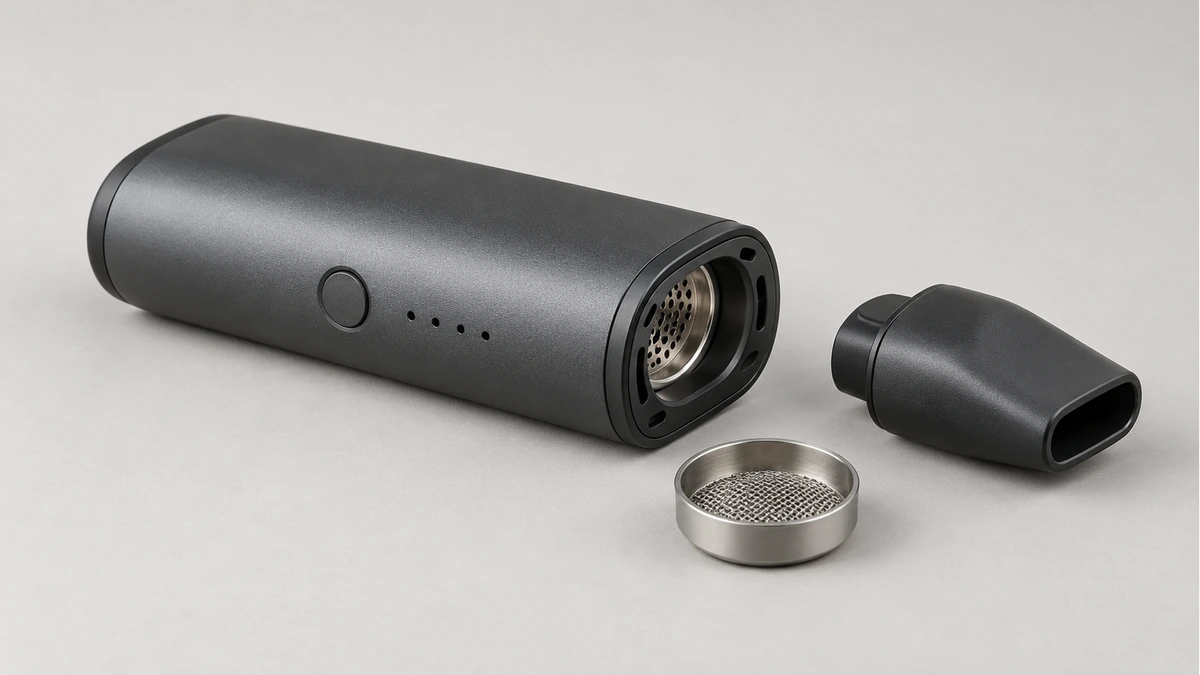
A screen viewed in place exposes only what the opening lets you see. A permitted removal may reveal deposits on the other face or around the supported edge. Check those accessible surfaces as the manual directs. Do not poke through a screen to explore what is underneath it while it remains inside the equipment.
One community discussion described an underside that looked different once removed, alongside disagreement about whether a bulk spare fitted the chamber as well as the cooling unit. These are useful questions to ask during routine care. They are not evidence that every restricted draw has the same cause or that forcing a larger disc into place solves it.
If the correctly identified screen has been cleaned and reassembled as instructed but the problem remains, follow the device’s own troubleshooting sequence. Another approved removable part or an incorrectly seated seal may need attention. Do not dismantle protected internal components on the assumption that the remaining obstruction must be hidden below the mesh.
The fine-grind herb grinder guide discusses texture as a separate hardware question. Changing a screen to an undocumented finer or coarser one is not a substitute for following the chamber maker’s specified configuration. Keep the intended mesh and the condition of the airpath separate from experiments with other components.
🧼 6. Follow the Screen’s Own Care Instructions
Find the care instruction that actually names the part you have removed. Permission to clean a detached screen does not mean the powered body, heater or an attached mouthpiece assembly can receive the same treatment. Likewise, a method for a plain screen does not automatically apply to a part with a frame, coating or fixed seal.
Keep improvised burn-off, torching and abrasive reshaping out of the routine. The fact that a small mesh survives someone’s forum cleaning method does not document what your device maker permits. You do not need a new heating procedure to complete an ordinary parts-cleaning task. If the approved method does not resolve the condition, ask about replacement rather than escalating it.
A vape cleaning kit guide can help organize tools by reach and component, but a larger kit is not permission to use every tool on every surface. Work over a contained, clear area where small pieces remain visible. Complete the manufacturer’s drying and reassembly requirements before the screen returns to the device.
📦 7. Give Clean Spares Their Own Compartment
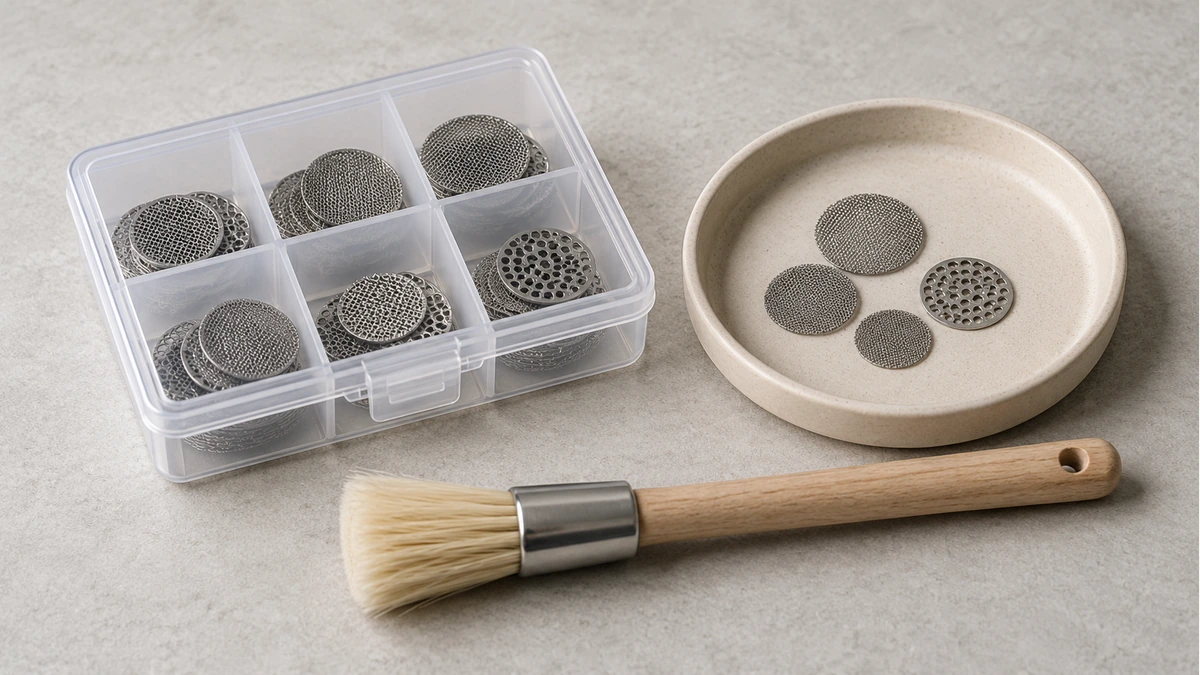
Keep unused confirmed replacements in their original packet or a labeled closed compartment. Store removed parts awaiting care separately. Once everything is loose in a common tin, it becomes difficult to tell a new spare from an unidentified disc that was put aside for a reason.
A useful label names the device, exact location and part reference. Diameter can be added when it is documented, but it should not replace the location. If two positions use the same confirmed part, one packet may serve both; if that is unknown, keep the sets apart. The goal is to make the next reassembly a lookup rather than another guessing exercise.
A shallow tray is useful while handling the pieces, and a closed compartment is useful afterward. Those are different jobs. Do not leave small screens loose beside a cloth where they can be folded away unnoticed. Finish the task by accounting for the removed piece and the confirmed spare, not by sweeping the remaining discs together.
🧩 8. Resolve the Part Before Resolving the Purchase
If a replacement is needed, start with the manufacturer’s part number and intended position. A bulk packet’s low price or familiar-looking photo says little about whether its contents match that requirement. An exact match can be assessed against the documented configuration; an unidentified assortment cannot supply that missing information.
For a support question, include the device revision, a photo showing the screen’s location and the replacement packet if you still have it. Explain whether the problem is a lost disc, a changed shape or residue that remains after permitted care. Those descriptions lead to different answers. Keep the uncertain screen out of use until the maker clarifies which part belongs there.