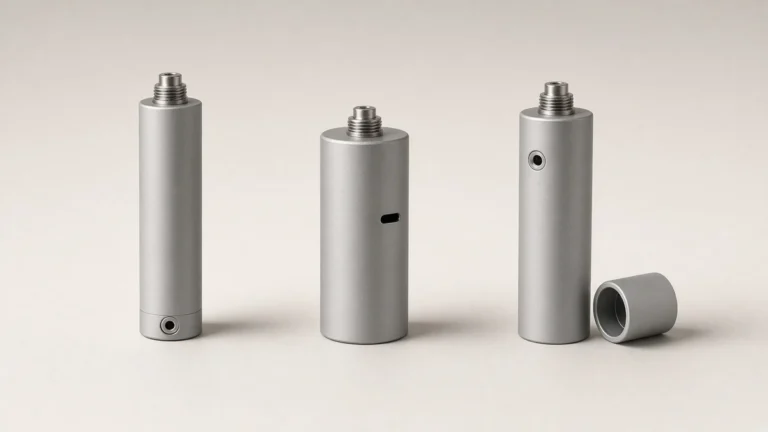
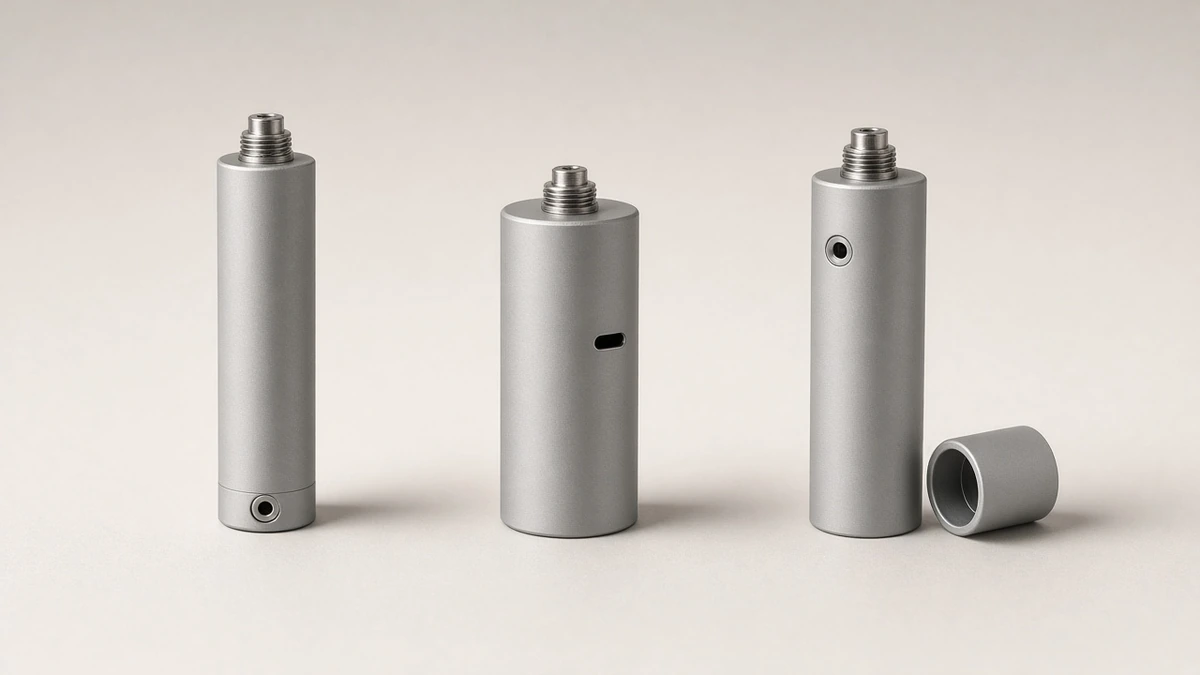
A 510 battery has to accept charge somehow, and the cable opening is not always in the same place. On some pen-style bodies the port sits in the base. On others it sits on the side of the barrel, or under a cap or sleeve that has to be removed first. The device can still be a 510-thread battery in all three cases. The useful identification is where the designer put the opening that is meant to receive a cable.
That placement question is not a charging-system question. A USB-C-shaped opening is a shape. It does not, by itself, say which protocol the battery uses, which cable will work, or how the pack is managed. Those points are covered in USB-C 510 Batteries: The Port Does Not Define the Charging System, and they are not retold here. The rest of this guide stays on what a sample, a drawing, and a listing photograph can show about location, and on what they cannot.
🔎 1. Port Location Is a Placement Question, Not a Protocol Question
The first cut is the same kind of cut used elsewhere on this site for firing method, click sequences, and travel locks: name the feature that is actually being identified. Here the feature is the place where a charge cable is meant to connect to the battery body. It is not the firing method, which is covered in Button or Draw-Activated: How a 510 Battery Is Fired. It is not a click map, a voltage lock, or an LED color code.
It is also not a protocol. Two batteries can present the same small oval opening and still differ in what they will accept from a cable or an adapter. This guide does not list currents, does not claim Power Delivery support, and does not estimate charge times. No industry education page was locked in the research for this article as a statistical source of "typical" port locations, so those locations are not treated as market shares. They are treated as arrangements a buyer may find on a sample.
A labeled input marking, if one is present on the exact version, belongs on its own line in a specification. This article does not invent the wording of that mark. The buyer should copy the mark from the sample or the drawing, then use the USB-C guide when the question shifts from where the cable goes to what the opening actually means.
⬇️ 2. Bottom Ports on Pen-Style Bodies
A bottom port sits in the base of the battery, opposite the 510 thread or around the foot of a standing pen. On a slim body, that is often a compact opening on the underside. The location is convenient in the sense that it leaves the barrel free of a side cutout. It is also easy to miss. A listing photograph taken with the pen standing on its base will, by definition, hide the face where the port sits.
A sheath, a silicone sleeve, or a display stand can hide the same opening in a sample kit. The identification is straightforward once the battery is turned over, but only if someone thinks to turn it over. A drawing should show the underside if the port is there. A buyer who sees no opening on the side wall should not conclude that the battery has no cable port until the base and any cap have been checked.
Seating the battery on a desk or in a charging cup is not, by itself, evidence of a contact dock, and it is not evidence of a bottom cable port either. The opening has to be seen, or the dock contacts have to be identified as a different interface, as in section 5.
↔️ 3. Side Ports, Including on Wider or Box-Style Bodies
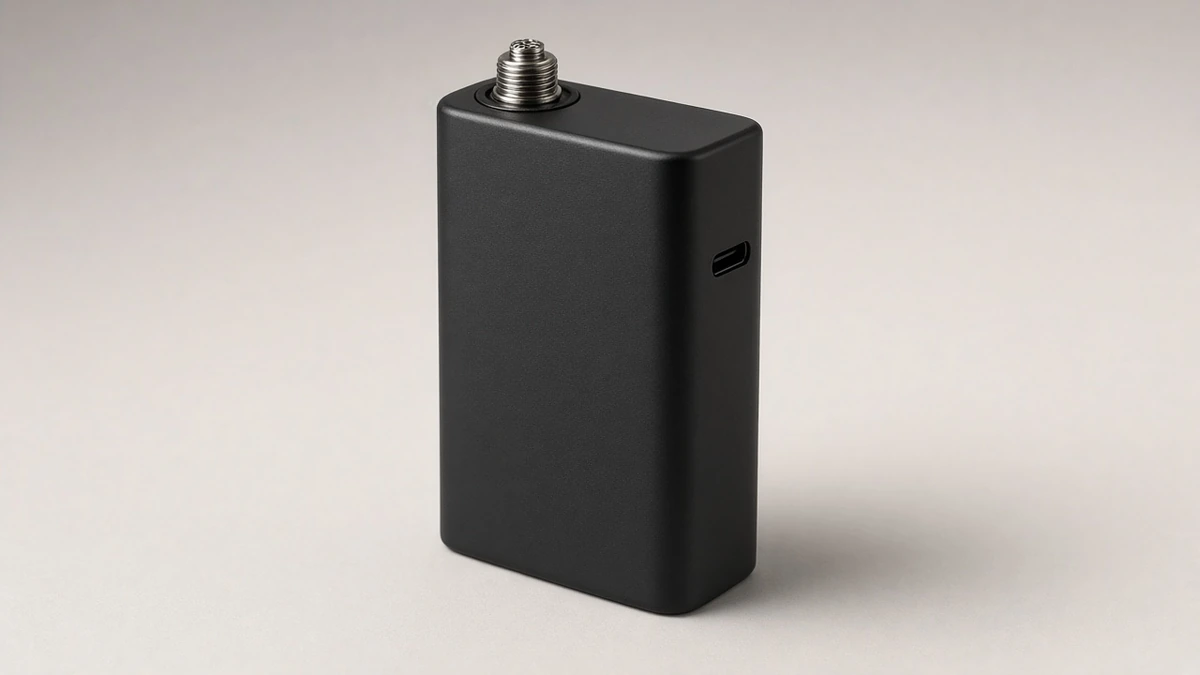
A side port sits on the wall of the battery. It appears on slim pens and on wider or box-style bodies alike. Because it faces outward, it is often the easiest location to catch in a three-quarter listing photograph — and still easy to cover with a sleeve, a magnetic shell, or a holster that will ship with the device.
Wider bodies can place the opening on a broad face or on an edge. The placement should be marked on the drawing of the exact version, not assumed from another model in the same family. A family resemblance is not a port map. If a brand is comparing two versions, each version needs its own photograph of the opening and its own drawing callout.
A side opening can also be mistaken for a lanyard hole, a vent, or a gap in a clamshell enclosure. If the listing says the battery charges by cable, the buyer should ask the supplier to mark the cable port and to say whether any other opening on the body is unrelated. The test is still observational: does a cable end enter that opening on the sample? This guide does not treat that fit as proof of a charging protocol.
🧢 4. Ports Hidden Under a Cap or Sleeve
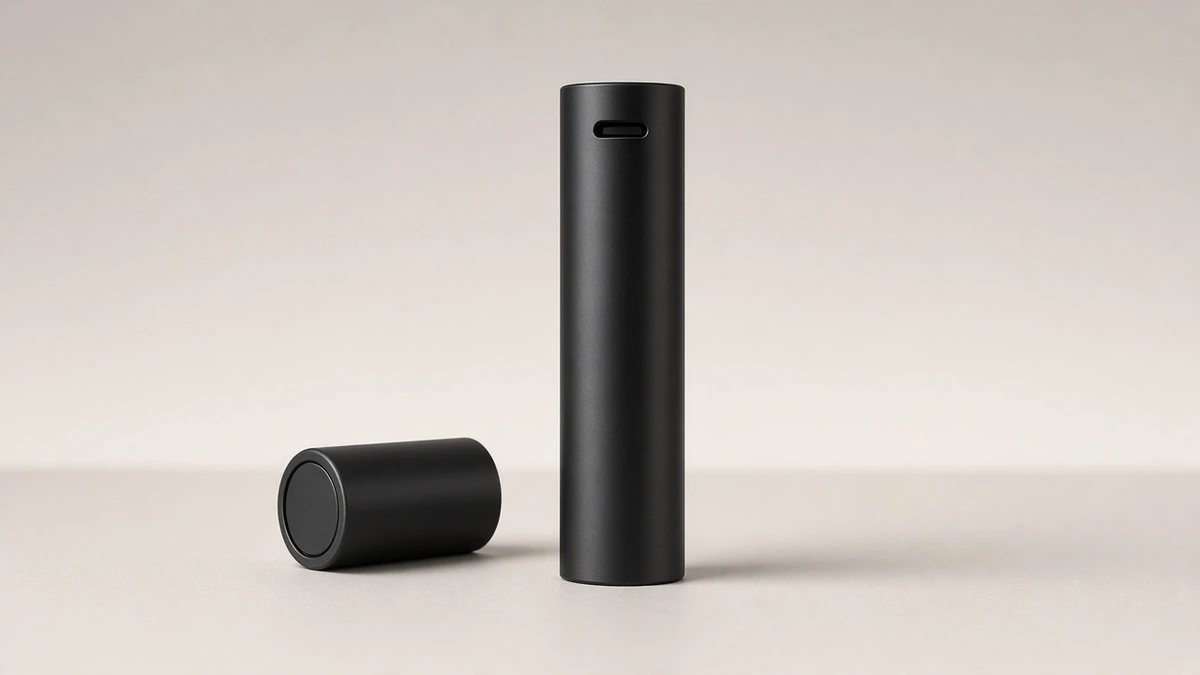
Some batteries hide the only cable opening under a removable cap, a sliding cover, or a sleeve. A concealed body can place that opening at the base or under a cap at the end of the barrel. The concealment is a placement choice. This guide does not assign stealth "levels" to it and does not treat concealment as a performance claim.
A listing photograph taken with the cap on may show a clean silhouette and no port at all. That image is incomplete, not proof that the battery is wireless-only or dock-only. The sample has to be handled, the cap or sleeve removed if it is designed to come off, and the opening confirmed. The drawing should show the cap in both states, or should at least call out that the port is under a cover.
If a cap is part of the shipped device, the test fit includes that cap. A port that is reachable only after a cover is removed should be described that way in the specification, so an instruction card and a catalog image do not disagree.
🔌 5. A Contact Dock Is a Different Interface
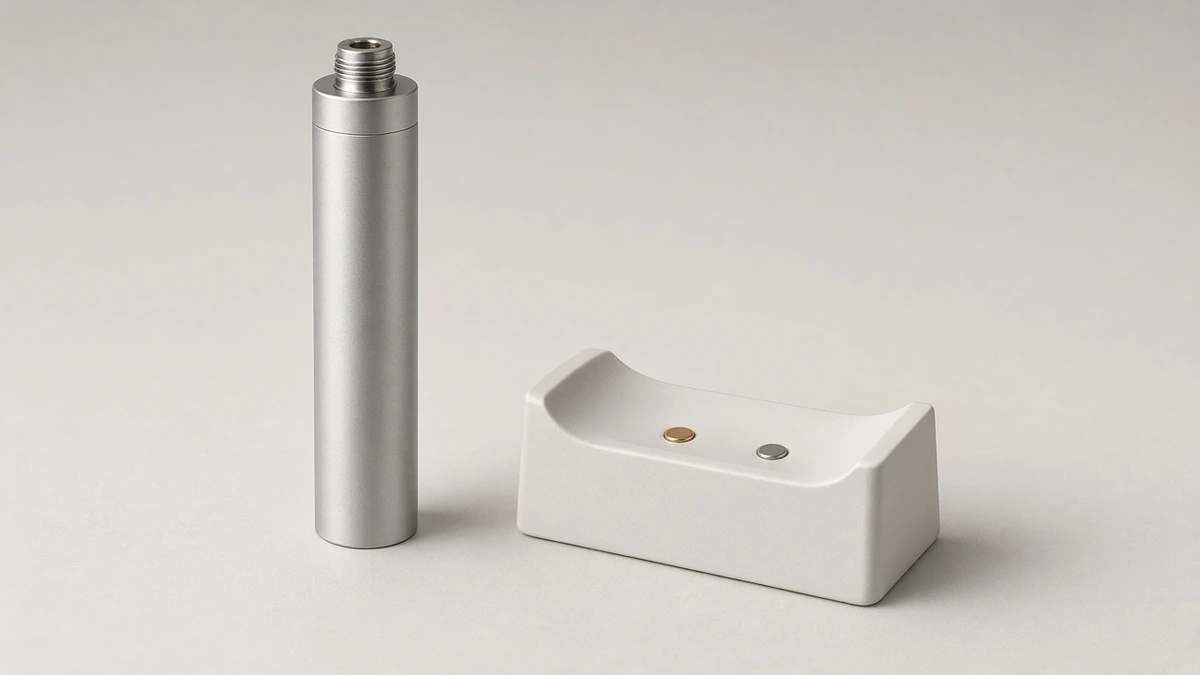
A contact dock, a cradle, or another contact-charging stand is a different visible interface from a cable port on the battery body. The battery may have a dock, a cable port, both, or — in some designs — a wireless pad relationship that is not a body opening at all. Those pad and dock arrangements are covered in Wireless Charging Vape: Pads, Receivers and Contact Docks. This article does not retell how those systems work. It only flags the identification error: finding a dock does not answer where a cable opening is, and finding a cable opening does not, by itself, say whether a dock exists.
If both interfaces are present, they should be written on two lines. If only a dock is present, the specification should say that no body cable port was found on the sample and the drawing, not that a port must be hiding somewhere. If the question is whether the device can be used while a cable is attached, that is a pass-through question, covered separately in Pass-Through Charging: What It Means for a Vaporizer, not a port-location question.
📷 6. What a Listing Photograph Can Hide
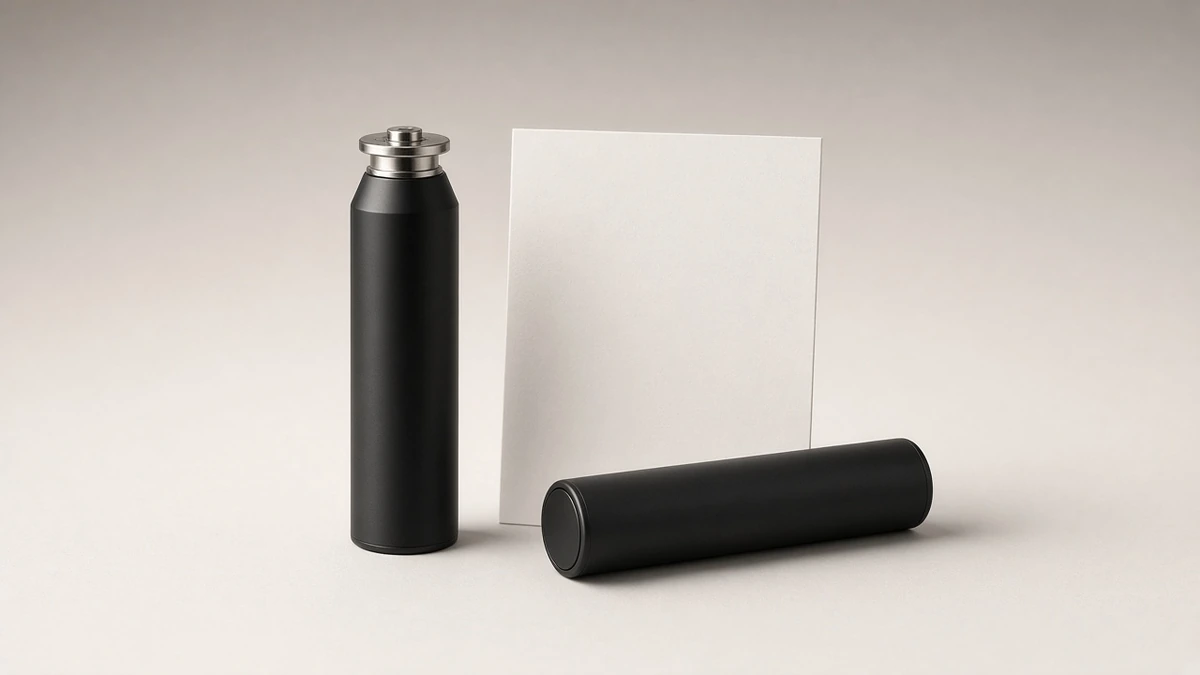
A single upright pack shot is a weak source for this identification. A bottom port is hidden when the battery is standing on its base. A side port can be turned away from the camera or buried in a shadow. A port under a cap will not appear until the cap is removed. A sleeve in the photograph may be the very part that hides the opening on the shipped device.
The listing text has complementary limits. "USB-C charging" names a shape, or a claim about a shape, not a location and not a protocol. "Magnetic charging" may mean a cable with a magnetic tip, a contact dock, or something else; the interface still has to be seen. Words about fast charging, a stated current, or a stated time are outside this guide and should not be copied from a listing as if they were verified here.
A photograph of a cable next to the battery is also incomplete unless the cable is shown seated in the opening, and even then it does not show the underside of a cap or the protocol behind the port. The working set is the same as in other identification pieces: a photograph, a sample, a drawing, and the cable that actually fits the opening on that sample.
✅ 7. What to Check on a Sample, a Drawing, and the Cable That Fits
A short inspection sequence will usually settle the location without turning the port into a charging claim:
- On the sample: Inspect the base, the side wall, and any cap or sleeve that can be removed. Note whether a cable opening is present, and where.
- On the drawing: Ask the supplier to mark the charge interface or interfaces on this exact version, including a port that sits under a cover.
- On the marking: If an input mark is present on the battery or the drawing, copy the wording from that source. Do not invent a rating.
- On the cable: Confirm that a cable end physically fits the opening on the sample. Treat that fit as a mechanical confirmation, then use the USB-C 510 battery guide for protocol and adapter questions rather than inferring them from the shape.
- On a separate line: If a contact dock or wireless pad is also offered, record it as a different interface. Matching a charger kit, where a kit is part of the purchase, is covered in 510 Thread Batteries With Chargers: Match the Input, Cable, and Battery.
A one-sentence description a team can reuse should name the location and the cover, not a preference. Example: "510-thread pen battery, cable port in the base; opening visible only when the battery is turned over; no cap over the port on this version." Or: "510-thread box-style battery, cable port on the side wall as marked on the drawing; port is covered by the shipped sleeve and is reachable when the sleeve is removed."
Questions worth sending with a sample request:
- Please mark every charge interface on a drawing of this exact version, and say whether the cable port is at the base, on the side, or under a cap or sleeve.
- If a cap or sleeve ships with the battery, please show the port with that cover on and off.
- Is there also a contact dock or another non-cable interface on this version?
- If an input marking exists, please provide a photograph or a drawing callout of the mark on this version.
- Which statements in the listing are port-location descriptions, and which would require a charging-system document?
❓ 8. Short Answers a Brief Can Reuse
❓ 8.1 Identification Questions
Where might a 510 battery accept a charge cable? At the base, on the side of the body, or under a removable cap or sleeve. The outline of the battery does not, by itself, identify which arrangement is present.
Does a USB-C-shaped opening specify the charging system? No. The opening is a shape and a location. Protocol, cable, and adapter questions are a separate identification, covered in the USB-C 510 battery guide.
If I cannot see a port in a listing photograph, does the battery have no cable port? Not necessarily. A base port, a side port turned away from the camera, or a port under a cap can be missing from a single image. Confirm the location on a sample and a drawing.
Is a contact dock the same thing as a body cable port? No. A dock is a different visible interface. A battery may have one, the other, both, or a further wireless arrangement that should be recorded separately.
Should a charge current or a charge time be inferred from the port location? No. This guide does not assign currents, protocols, or times to a bottom, side, or under-cap opening.
If the port is under a cap, what should the specification say? It should say that the opening is under a cover, and the instruction image should show the cap removed. A clean silhouette with the cap on is not a complete identification.